

Monday, 10 August, 2026г.
















Где искать: по сайтам Запорожской области, статьи, видео ролики
пример: покупка автомобиля в Запорожье
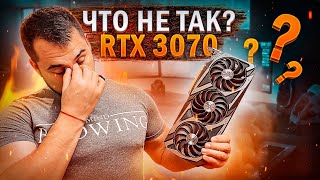
GeForce RTX 3070 Disassembly, fan cleaning and thermal paste replacement
 У вашего броузера проблема в совместимости с HTML5
Step-by-step repair guide how to take apart NVIDIA GeForce RTX 3070 Founders Edition clean it from dust and replace thermal grease. This video show you how to fix overheating graphics video card.
Screwdriver set: https://amzn.to/2GQOdD5
Screwdrivers and opening tools: https://amzn.to/2QPrSKn
Thermal Paste Noctua NT-H1: https://amzn.to/2GCatAn
Thermal Paste Arctic MX-4: https://goo.gl/4cDmk2
ALIEXPRESS:
screwdrivers set: http://ali.pub/302o00
thermal paste: http://ali.pub/2zkj0n
The best thermal paste for laptop: https://youtu.be/q1sj6dzu5BI
More photo and video guides on our website: https://www.how-fixit.com/
FOLLOW ME:
Instagram: https://www.instagram.com/howfixit/
Facebook: https://www.facebook.com/HowFixit/
Twitter: https://twitter.com/HowFixit
This video instruction show you how to solve the problem of overheating NVIDIA GeForce RTX 3070 Founders Edition graphics card. The main reason for overheating is dust on the heatsink of the cooling system, which prevents effective ventilation of the air and cooling of the GPU. When you cleaning a graphics card from dust, it is also recommended to replace thermal grease, which will lower the heating threshold and improve graphics card performance. Recommendations which thermal grease to choose, watch my tests of the best thermal grease for a graphics card.
Теги:
geforce rtx 3070 disassembly geforce rtx 3070 overheating howfixit geforce rtx 3070 thermal paste geforce rtx 3070 cleaning geforce rtx 3070 fan cleaning geforce rtx 3070 repair geforce rtx 3070 teardown geforce rtx 3070 take apart geforce rtx 3070 thermal paste replacement geforce rtx 3070 founders edition disassembly geforce rtx 3070 founders edition overheating
Похожие видео


Мой аккаунт