

Tuesday, 04 August, 2026г.
















Где искать: по сайтам Запорожской области, статьи, видео ролики
пример: покупка автомобиля в Запорожье
Xbox Series S How to Disassemble, Clean Dust and Replace Thermal Grease
 У вашего броузера проблема в совместимости с HTML5
In this video guide, I show you how to open Xbox series s to clean dust and replace the thermal paste. This will help keep the game console from overheating.
AMAZON - UK:
Screwdriver set: https://amzn.to/2GQOdD5
Screwdrivers and opening tools: https://amzn.to/2QPrSKn
Thermal Paste Noctua NT-H1: https://amzn.to/2GCatAn
Thermal Paste Arctic MX-4: https://goo.gl/4cDmk2
ALIEXPRESS:
screwdrivers set: http://ali.pub/302o00
thermal paste: http://ali.pub/2zkj0n
Repair Water Damaged Xbox Controller: https://youtu.be/9boRCqvmo6w
More photo and video guides on our website: https://www.how-fixit.com/
FOLLOW ME:
Instagram: https://www.instagram.com/howfixit/
Facebook: https://www.facebook.com/HowFixit/
Twitter: https://twitter.com/HowFixit
*** Description ***
Hi Everyone, Welcome to HowFixit, in this step-by-step video guide I will show you how to disassemble Xbox Series S for dust cleaning and thermal paste replacement. This will help keep the game console from overheating.
To disassemble your Xbox Series S, you will need the following tools:
- Torx T8 screwdriver
- Torx T10 screwdriver
- Anti-static brush
- Thermal paste
- Plastic pry tools
- Anti-static tweezers
Also, I recommend using a magnetic mat and laying out each screw step by step during the disassembly process. Throughout this repair, keep track of each screw and make sure it goes back exactly where it came from to avoid damaging your Xbox Series S. Thanks to the magnetic base, the screws stay on the mat and you will not lose them. In the description, I left links where you can buy all the necessary repair tools.
Time code:
0:20 Tools for disassembling
1:04 Start disassembling the Xbox Series S
2:32 Removing the Bluetooth panel
2:55 Removing the power button board
3:02 Removing the Wi-Fi module
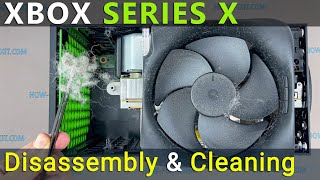
4:09 Cleaning PSU
4:43 Cleaning fan
5:07 Cleaning heat sink from dust
6:06 Removing mainboard
6:18 Removing clamp on mainboard
7:39 Thermal paste replacement
7:55 Reassembling Xbox Series S
#xbox #howfixit #xboxss
Теги:
xbox series s disassembly xbox series s how to repair howfixit xbox series s cleaning xbox series s clean fan xbox series s assembly xbox series s dust cleaning xbox series s cleaning heatsink xbox series s overheating xbox series s thermal paste how to clean xbox series s xbox series s loud fan fix xbox series s overheating fix xbox series s opening xbox series s opening to clean xbox series s how to take apart xbox series s teardown
Похожие видео

Мой аккаунт