

Friday, 07 August, 2026г.
















Где искать: по сайтам Запорожской области, статьи, видео ролики
пример: покупка автомобиля в Запорожье
018 Grenade Stockpile Guide *How To Hoard Grenades* Resident Evil 5 Walkthrough Veteran
 У вашего броузера проблема в совместимости с HTML5
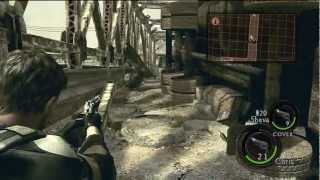
Grenade Sweetspot Guide. How to stockpile/hoard grenades. Low on grenades or don't have any? Well follow this guide and you wont have that problem ever again. As you may well know, grenades cannot be bought, you have to find/collect them. In chapter 1-1 there is a sweet spot for grenades where you can exploit the save system of the game to hoard a massive amount of grenades. The only limit, is your time. As far as this grenade sweet spot is concerned, what I have shown is the easiest way to hoard grenades. You get five normal grenades and one incendiary grenade. That's six grenades in total. Now there is one grenade that can be picked up earlier on in the chapter, but its not in this sweet spot. So that grenade doesn't count. There is also another grenade near the exit of this area (the part the pilot blows up in the subsequent cutscene). You have to hit some fruit to get it. Now 99% of the time, there is a grenade there, but Im sure there have been times there was some ammo there. Also, getting to that part is risky. Sheva tends to get hit a lot and you will end up using health items. So for this reason, I have not included that grenade. But if you feel confident, then go for that grenade. You will be able to get seven grenades from this sweet spot rather than six. But the overall time will increase, so bear that in mind. SWEET SPOT DEFINITION: When I say sweet spot here's what I mean. A sweet spot is a place where you can stockpile a specific item, by repeatedly playing a small part of a chapter. Ideally, a sweet spot will require no use of weapons. You should be able to pick up items, quit the game and then repeat that part again. Note: although you can view this video in HD format, the source is 720x576, which has been upscaled to 1280x720. Either way, the picture is a lot clearer in the HD format. Voice commentary via AT&T Natural Voices software. Video captured via PCI TV Card. Edited via Corel Videostudio X2. .................................... http://www.maximumhelp.co.uk ....................................
Теги:
Resident Evil Walkthrough Grenade Hoard exploit cheat Playstation PS3 Veteran difficulty Machinima
Похожие видео

Мой аккаунт