

Thursday, 06 August, 2026г.
















Где искать: по сайтам Запорожской области, статьи, видео ролики
пример: покупка автомобиля в Запорожье
2019 April !!! new update how to install watch Nixtoons 2 kodi addon in leia 18 1
 У вашего броузера проблема в совместимости с HTML5
How To Install Watch Nixtoons 2 Kodi Add-on
1… At the top left click the System Settings Icon
2… Click File Manager
3… On the left click Add Source
4… Click where it says NONE
5… Type in the URL: https://doko-desuka.github.io/
6… In the next box down name it Doko and click OK
7… Double check everything is correct and click OK
8… Go back to the main menu and click Add-ons
9… Click the Add-on Package Installer Icon at the top left
10… Click Install from zip file
11… A box will pop open select Doko
12… Click doko.repository-0.1.49.zip
13… Wait for the Repository to download and popup at the top right and say Repo Installed
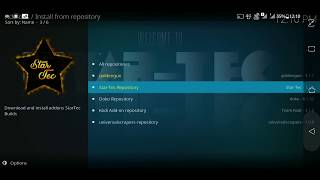
14… Click Install from repository
15… Click Doko Repository
16… Video Add-ons
17… Click WatchNixtoons2
18… Click Install
19…For Kodi 18 Leia users a box will popup showing all the dependencies and add-ons that will be install Click OK
Похожие видео
Мой аккаунт