

Sunday, 07 June, 2026г.
















Где искать: по сайтам Запорожской области, статьи, видео ролики
пример: покупка автомобиля в Запорожье
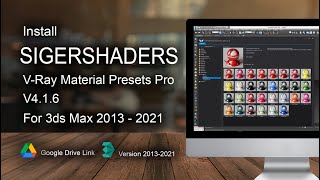
3ds max : How to install V-Ray Material Presets
 У вашего броузера проблема в совместимости с HTML5
How to install "V-Ray Material Presets Pro"
KEY FEATURES
1307V-Ray Material presets and templates:
Metal Materials (174)
Ceramics Materials (70)
Leather Materials (133)
Stone Materials (36)
Mosaic Materials (60)
Concrete Materials (30)
Carpaint (37)
Liquid (59)
Wall (50)
Glass (112)
Parquet (210)
Wood (32)
Gemstone (80)
Cloth (156)
Plastic (68)
Compatible with 3ds Max 2010(SP1)/2011/2012.
Compatible with V-Ray SP2/SP3/SP4/SP5, V-Ray 2.0
Compatible with SolidRocks
All materials have been tested by professionals on real projects.
You can create and manage your Material Library.
All textures used are seamless (1045 maps on 2.88GB).
Friendly and simple interface.
Useful for V-Ray newbies, average and power users.
VERSION REQUIREMENTS
The product is compatible with 3ds max 2010 (SP1), 2011, 2012 | V-Ray 1.5 SP2, SP3, SP4, SP5, V-Ray 2.0 | 32 and 64 bit.
Home Site Link :-- www.sigershop.eu/
Download Link :-
http://turbobit.net/download/folder/1190189
download Part 5 and Other parts
http://www.filefactory.com/f/71ccde6db5067faf/
Похожие видео


Мой аккаунт