

Monday, 03 August, 2026г.
















Где искать: по сайтам Запорожской области, статьи, видео ролики
пример: покупка автомобиля в Запорожье
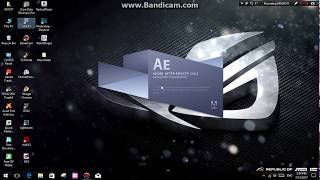
After Effects error: plug-in “Element.aex” could not be loaded (126). (48::46) Fix
 У вашего броузера проблема в совместимости с HTML5
Today i will show you how to fix After Effects error: plug-in “Element.aex” could not be loaded(126) or invalid filter
1- First delete all element 3d related folder
2- Install element 3d v2 as admin
a -choose custom location for exp desktop for both plugin and assets
drag the the plugin to C:\Program Files\Adobe\Adobe After Effects CS6\Support Files\Plug-ins
drag the the assets to C:\Users\ ur username\Documents
now the problem is to redirect the assets to new path
Go to run --- type regedit then HKEY_LOCAL_MACHINE--- software ---videocopilot
Edit the key -- change to the patch to C:\Users\ ur username\Documents
-------------------------------------------------------------------------------------------
----------------------------------------------------------------------------------------------
like us, share , subscribe and follow on :
►► Google+
►►Twitter
►►Facebook
software u may need
http://www.utorrent.com/
http://www.daemon-tools.cc/eng/downloads
.....................................................................................................
Enjoy !!!!!
....................................................................................................
Thanks for watching
please comments rate and subscribe
Теги:
Adobe After Effects (Software) Plug-in (Software Genre) After Effects error: plug-in “Element.aex” could not be loaded(126) After Effects error bug fix element 3d fix awesome amazing cool best new how to tutorial element 3d v2 invalid filter element 3d v2 error code 126 “Element.aex” could not be loaded(126) “Element.aex” could not be loaded
Похожие видео

Мой аккаунт