

Wednesday, 01 July, 2026г.
















Где искать: по сайтам Запорожской области, статьи, видео ролики
пример: покупка автомобиля в Запорожье
Building an Arduino to Google Speadsheet Temp logger
 У вашего броузера проблема в совместимости с HTML5
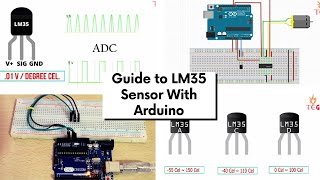
Logging LM35 temperature sensor readings to Google Spreadsheets using Google Forms, an Arduino, and small Python script on a (Ubuntu) PC. Sources here: https://github.com/yorak/arduino_google_forms_logger The video shows the entire development process from start to finish. I show how the LM35 is connected to the Arduino, how I go on googling and modifying the required code snippets for the Arduino and the PC, how to set up the Google Form that recieves the data, and how the finished sensor works. The development took around 45 minutes. The video has been cut using Pitivi video editor. Unfortunately using Pitivi was such an painful experience that the video is still too long and convoluted. Few failures have been cut out: first Python script using urllib did not work for some reason. Later version using requests module did work with the 1st try. Also I was a little confused on how to extract the input field id. Please see http://codesmith.in/post-data-google-drive-sheet-through-mobile-app/ for reference. However, for the submit code I recommend using the python script found in my Github.
Похожие видео
Мой аккаунт