

Thursday, 04 June, 2026г.
















Где искать: по сайтам Запорожской области, статьи, видео ролики
пример: покупка автомобиля в Запорожье
C Programming, Disassembly, Debugging, Linux, GDB
 У вашего броузера проблема в совместимости с HTML5
A brief introduction to GDB and Assembly Language on Intel processors using the venerable C language and GCC compiler toolchain. This is probably more fun than it is informative (and not even all that fun), but maybe it will give somebody ideas... Documentation:
man wprintf
man gdb
man objdump
man hexdump
Use pinfo -m instead of man for a nice, colorful interface that can be navigated by clicking or using the arrow keys.
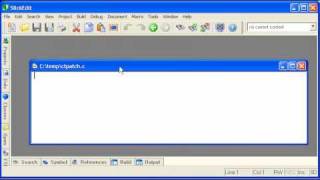
The IDE used in this video is actually the SciTE text editor. http://www.youtube.com/watch?v=OWYdVmULKW0&feature=related
Making simple programs and analysing them with a debugger such as GDB is a great way to learn a little bit about assembly language and machine code. Why delve into machine code during an introductory video? Do we realy need to know that the stack grows downward in memory or that the arguments to a function are pushed onto the stack in reverse order, so they can pop back off in the right order? What's with the wide characters? Why complicate things by adding a function?
First of all, functions and assembly are not that hard to grasp. It's just a push and call. We push an address to something onto the stack and call a function. What's so difficult about that? I'm sick of people trying to insulate us from the details. Besides, knowing a little bit about what goes on under the hood makes better hackers and better programmers. That's what we do while learning. We build things and we take them apart to see how they work. I know there is no compelling reason to use wide characters (C90 spec), but I just want to be prepared to understand them when I see them. Yes, it is probably better to use utf-8 and char now that most platforms support it. You can find simple "hello world" programs anywhere that use printf. I wanted my video to be different.
And I wanted to let everyone know I'm OK. I haven't died. I've just been busy learning a little C.
Oh, and I'll show you why I used a function in a little bit. There is a reason.
We have used up nearly the full 10 minutes and it is still just a brief tour. We were only able to cover a small handful of the tools I wanted to demonstrate. Oh well, Linux is so full of toys that it even has a tool to help find them. Type "man apropos" or "pinfo -m apropos" in a terminal for details.
Yes, GDB sucks at printing wide character strings, as this video shamelessly points out. It can do it if you include debugging symbols in your program, though, by compiling with gcc -g -o hi hi.c and by downloading a special script for GDB (http://www.linux.com/feature/51836) and putting it in your .gdbrc file. Great.
Wide characters of type wchar_t are not necessarily unicode, but, depending on the implementation, do often represent unicode strings. See:
http://en.wikipedia.org/wiki/Wide_character
http://www.cl.cam.ac.uk/~mgk25/unicode.html#utf-8
Resources:
http://cs.baylor.edu/~donahoo/tools/gdb/tutorial.html
http://www.iso-9899.info/wiki/Main_Page
http://www.cs.princeton.edu/~benjasik/gdb/gdbtut.html
http://en.wikibooks.org/wiki/Category:X86_Disassembly
http://en.wikipedia.org/wiki/X86_calling_conventions#cdecl
http://www.linux.com/feature/51836
This video contains parts or visuals of a free software program. You may use it freely according to its particular license:
This work is free software; you can redistribute it and/or modify it under the terms of the GNU General Public License as published by the Free Software Foundation; either version 2 of the License, or (at your option) any later version. This work is distributed in the hope that it will be useful, but WITHOUT ANY WARRANTY; without even the implied warranty of MERCHANTABILITY or FITNESS FOR A PARTICULAR PURPOSE. See the GNU General Public License for more details.
Теги:
programming linux gdb debugging hacking disassembly objdump hexdump tutorial introductory video wide characters unicode utf8 utf16 utf32 utf-8 utf-16 utf-32 international internationalization nationalization character sets wchar_t wprintf pointer values text ide fork web lua return writing process windows child debugger parent code main scite instructions programs howto software tips & tricks computers computer hacks
Похожие видео
Мой аккаунт