

Thursday, 04 June, 2026г.
















Где искать: по сайтам Запорожской области, статьи, видео ролики
пример: покупка автомобиля в Запорожье
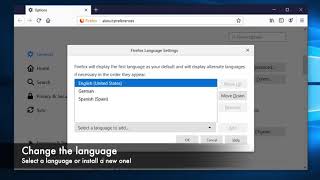
Change Firefox Language
 У вашего броузера проблема в совместимости с HTML5
You should follow these steps for the extension to work:
1. Setup add-on English language pack.
- Search "English Language pack Firefox" on Google. Then setup it.
2. Open Firefox and do follow steps below:
- Type "about:config'' in the Location box.
- Locate "general.useragent.locale" item, double-click to edit.
- In the "Enter string value" dialog, clear then enter "en-US",
- Restart Firefox, the extension now working.
DONE.
Good luck!
Похожие видео

Мой аккаунт