

Tuesday, 28 July, 2026г.
















Где искать: по сайтам Запорожской области, статьи, видео ролики
пример: покупка автомобиля в Запорожье
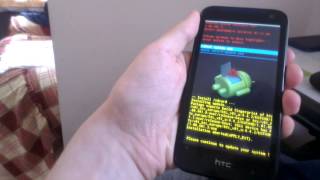
CM 12.1 on HTC Desire 310 - Review and installation instructions
 У вашего броузера проблема в совместимости с HTML5
New facebook group(for faster replies,sharing cool stuff,etc.) https://www.facebook.com/groups/559897100855893
UPDATE 2: 10k views?Thats amazing!Seems like the desire 310 is not dead yet!Sorry if I havent responded to your comment,but Im getting hundreds of comments and I dont get notification for each one,for some reason.Im still trying to respond to as many people as possible.Also check out my kitkat firmware installation video,Ive shown everything better there.
UPDATE:CM13 and new marshmallow and lollipop roms are out!CM13 video: https://www.youtube.com/watch?v=59fusWosOY4
And a new xda page for the phone: http://forum.xda-developers.com/android/development/htc-desire-310-320-roms-firmwares-t3388017
The most stuff you need in one .zip:
http://www.4shared.com/zip/1LJzI7ODce/otarecoveryfixesapksspflashtoo.html
CM12.1:
https://yadi.sk/d/23XZUmSQpcuVY
Gapps:
http://opengapps.org/
Desire 320 stock rom:
http://www.mediafire.com/download/zy6dl5cd5iq40fh/HTC+Desire+320_V01_U_K44_SENSE53_htc_europe_1.00.401.3+by+jamesjerss.zip
1.Install the drivers on the pc(if it gives you an error about the signatures try on other pc)
2.Run the sp flash tool with compatiblity mode windows 7(only if you are on newer os) and set everything on it like in the video,connect the phone to the pc without battery and holding volume down and start to flash
3.Now you are on 4.4.2(first boot takes a lot of time).Wifi doesnt work so to root use the root tool in the zip file which you downloaded(''the most stuff you need in one .zip''),turn on usb debugging in developer settings first,install the two apks-the mobile uncle mtk tools and root browser
4.Flash the OTA with the stock recovery and reboot,after that go to build.prop in /system using the root browser,find this line:
ro.product.language=en
ro.product.region=US
and change it to:
ro.product.language=ru
ro.product.region=RU
now go to mobile uncle tools and flash the recovery(new recovery.img)
5.Now you have recovery.Wipe system,data and cache and flash cm12.1,gapps and BootForMTP[1].zip
6.Yay 5.1.1(first boot takes 5-10mins)!But thats not all.To fix camera and audio copy and replace all the 3 .lib files in /system/lib/
and make sure you have set the right permissions (rw-r-r)(use the root browser again)
7.Reboot and enjoy android 5.1.1.Supports all versions of 310(1gb/512mb ram;1/2sims)
bugs:
-screen rotation seems f*cked up(kernel issue)
-the white line on the top of the screen(kernel issue)
Wifi works fine.
If you have the 512mb ram version you will probably experience lag while connected to internet,crashing on games and other crap(mostly because lollipop isnt optimised for less than 1gb ram),so I decided to add that:
http://www.4shared.com/mobile/G7QiZoYrce/RAMEXPANDERv335.html
Its ram expander,it makes ram from your sd card(I recommend class 10 or faster).Add 1020mb ram and it will be much better(multitasking will be slower due to fact the sd cards are slower than the ram but apps wont crash and wont lag).While you use the app keep it in the recent apps and dont close it,if you get a black screen when you open it then you need to be connected to internet(once you open it with wifi you can keep it in the multitask later when you dont have wifi but if you restart the app or the phone you will need to connect to wifi again).
---------------------------
If any of the links is broken,comment and I will fix it.
Теги:
cm12 htc 310 cm12.1 htc 310 cm12 htc 320 cm13 htc 310 cm12 cm12.1 htc desire 310 htc desire 310 roms htc desire 320 roms
Похожие видео

Мой аккаунт