

Saturday, 29 August, 2026г.
















Где искать: по сайтам Запорожской области, статьи, видео ролики
пример: покупка автомобиля в Запорожье
CNC Co2 Laser Origin & Start Positions Tutorial - Lightburn, RD Works, AutoLaser Software.
 У вашего броузера проблема в совместимости с HTML5
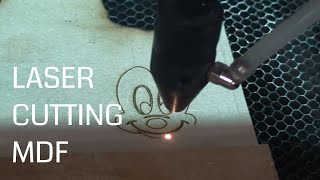
This video is about the Machine Origin, Job Origin and Start Location when using Co2 Laser Software. The Laser software I use is Lightburn. Now I know that not everyone uses Lightburn Software so towards the end of the video I will briefly explain where to find these settings in two other Laser Software Packages - RD Works (for Ruida Controllers) and AutoLaser (for the TopWisdom Controllers).
Laser Cutting Resources - https://amzn.to/2RNNCUj
== If you'd like to support my channel financially so I can continue to produce content you can do via PayPal here --- https://www.paypal.me/mattsworkshop --- Thank You ====
0:27 - You may need to refer to your user manual for the position of your machine origin. On this machine when it powers on the laser head will move to the MACHINE ORIGIN (Top / Rear Right) and then return to the last position or user set origin.
0:53 - Machine Origin - The RED SQUARE
3:40 - Start From Locations
4:47 - (Start From:) Absolute Coordinate
5:56 - (Start From:) Current Position
8:00 - (Start From:) User Origin
10:10 - Job Origin (The GREEN SQUARE)
14:43 - Using the Centre Job Origin Effectively on Circles
And Irregular Shapes like (16:27) Chopping Boards
18:07 - Where to find these Settings discussed in RD WORKS - Ruida Controllers
21:30 - Where to find these Settings discussed in RD WORKS - TopWisdom Controllers
21:51 - Thanks for Visiting.
Until next time, take care
Cheers Matthew
Visit Matt's Workshop at MW Laser https://www.mwlaser.com.au
Instagram https://www.instagram.com/mattsworkshop/
Facebook https://www.facebook.com/mattsworkshopau
== If you'd like to support my channel financially so I can continue to produce content you can do via PayPal here --- https://www.paypal.me/mattsworkshop --- Thank You ====
Any questions please feel free to email me [email protected] or leave a comment below.
Теги:
80w laser ruida autolaser start position user origin absolute coordinates improvement laser engraving machine cloudray lightburn software rd works laser cutting machine co2 laser chinese laser ruida laser controller ebay laser engraver topwisdom trocen laser engraving laser cutting 80w laser cutter 100w laser cutter laser cutter k40 x700 redsail laser improvements laser review laser engraver 150w CNC cnc laser co2 laser education
Похожие видео


Мой аккаунт