

Tuesday, 09 June, 2026г.
















Где искать: по сайтам Запорожской области, статьи, видео ролики
пример: покупка автомобиля в Запорожье
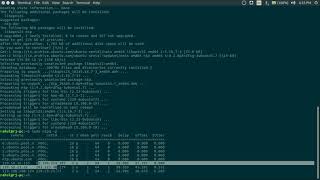
Configure Network Ubuntu Server 18.04
 У вашего броузера проблема в совместимости с HTML5
Changing ip address on Ubuntu 18.04 its different from other Ubuntu.
Please follow scripts below and steps as at video:
Change to static:
1.sudo nano /etc/netplan/ 50-cloud-init.yaml
2.
network:
ethernets:
enp0s3:
addresses: [192.168.88.88/24] (your IP)
gateway4: 192.168.1.1 (your gateway)
nameservers:
addresses: [8.8.8.8,8.8.4.4]
dhcp4: no
version: 2
3.sudo netplan apply
Change to DHCP
1.sudo nano /etc/netplan/ 50-cloud-init.yaml
2.
network:
ethernets:
enp0s3:
addresses: []
dhcp4: true
version: 2
3.sudo netplan apply
Теги:
ubuntu server 18.04 chnage ip configuartion interface DHCP Static ip netplan 50-cloud-init.yaml kpt hub
Похожие видео



Мой аккаунт