

Friday, 05 June, 2026г.
















Где искать: по сайтам Запорожской области, статьи, видео ролики
пример: покупка автомобиля в Запорожье
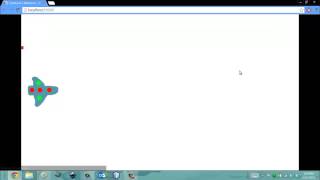
Construct 2 - Tutorial 001 - Side Scrolling Shooter (Pixel Art) 001 [Player Creation]
![Construct 2 - Tutorial 001 - Side Scrolling Shooter (Pixel Art) 001 [Player Creation]](https://pic.portall.zp.ua/mq/1/a2/5UxFu0pE3ycRI5.jpg) У вашего броузера проблема в совместимости с HTML5
У вашего броузера проблема в совместимости с HTML5
UPDATE: Support me on Patreon and get exclusive rewards https://www.patreon.com/BiimGames First part of the video tutorial for create a Pixel Art Side Scrolling Shooter. If you would like to contribute to the creation of this and future tutorials for Construct 2, you can purchase all the assets used in this tutorial, plus some more here: ASSETS FOR SALE: itch.io https://biim.itch.io/8-bit-pixel-art-side-scrolling-shooter-beginner-assets-bundle-artsfxmusic GameJolt https://gamejolt.com/games/8bit_shooter_asset/312858 GameDev Market Audio - https://www.gamedevmarket.net/asset/8-bit-pixel-art-side-scrolling-shooter-beginner-assets-bundle-audio/ 2d Art - https://www.gamedevmarket.net/asset/8-bit-pixel-art-side-scrolling-shooter-beginner-assets-bundle-2d-art/ Scirra Store https://www.scirra.com/store/2d-game-graphics-packs/8-bit-pixel-art-shooter-bundle-4151 TokeGameArt https://tokegameart.net/item/pixel-art-side-scrolling-shooter-kit/ TEMPLATE (Purchase a sample version of the game. It includes code, graphic and audio): Scirra Store https://www.scirra.com/store/royalty-free-game-templates/8-bit-pixel-art-shooter-template-4155 _______________________________ 8-bit Pixel Art Side Scrolling Shooter Beginner Assets Bundle contains: More than 60 sprites + 17 Sound Effects + 1 Chiptune Music _________________________ Summary: 0:00 Game version and author 3:14 Setting Window Size 5:12 Setting Layout Size 5:54 Create the first sprite 8:45 Pixel Art settings 11:59 Different ways to create the level 16:23 Different ways to code 18:34 Importing image to use for our sprite 19:28 Moving the spaceship (8 Direction Behavior) 23:52 Keeping the spaceship inside the screen (Bound to layout Behavior) 25:07 Collision polygon (box) and Origin Point 30:32 Create the bullet (drawing & animation) 34:05 Move the bullet (Bullet Behavior) 36:50 Layouts & Event Sheets 38:53 Bullet (Destroy Outside Layout Behavior) 40:13 Shoot the bullet using the spacebar of the keyboard 43:30 Layers 45:31 Adding new Image Points 47:22 Change settings to create a different kind of bullet
Теги:
Construct 2 Construct 2 Tutorial Pixel Art Pixel Art Side Scrolling Shooter Side Scrolling Shooter Shoot'em up Shump Pixel Art Shoot'em Up Shoot'em Up Tutorial Side Scrolling Shooter Tutorial 8-bit Bullet Behaviour Bullet Behavior Construct 2 Bullet Behaviour Construct 2 Bullet Behavior Learn Construct 2 Learn Construct 3 Develop Video Games Develop Video Games with Construct 2 Develop Video Games with Construct 3
Похожие видео
![Construct 2 - Tutorial 008 - Side Scrolling Shooter (Pixel Art) 08 [Life Bar]](/images/mq/0/13/akkq9Ay8fAFVl4.jpg)
![Construct 2: Pixel Platformer Course [Free] | Jerementor](/images/mq/6/1f/6TsXJSCYfu4FU8.jpg)
Мой аккаунт