

Saturday, 06 June, 2026г.
















Где искать: по сайтам Запорожской области, статьи, видео ролики
пример: покупка автомобиля в Запорожье
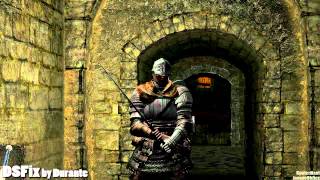
Dark Souls - PC - Resolution Fix & Mouse Fix
 У вашего броузера проблема в совместимости с HTML5
Dark Souls - PC - Resolution Fix & Mouse Fix DISABLE ANTI-ALIASING to fix the small box video issue! Use This Link To Download The Fixes: (DSmouse fix is out of date, the creator is not updating it, but a Steam user has fixed the fix) LINK LOCATIONS HAVE CHANGED (see below): DS-Fix : https://mega.co.nz/#!bFFASCZB!LwBUf5JhUVm3yv7On2XAHxcBAAoqJ58ohJfmesJBXKI DS-Mouse-Fix : https://mega.co.nz/#!acE1nZZb!1-C3vhhRnZjzsYRiilOXDsO_vhsC1EKsbM1nBNX2zgU Dual Monitor Tools : https://mega.co.nz/#!qV92QZpL!vqtu7lWgVukTbwIJ8Qe6EDcdzwdJmY6_YdiRCSeuVpo xlive.dll : https://mega.co.nz/#!LB0zwC7S!fdNTwjYxOrQGfcF_xkrTXIm2JdpnZ5gvZxP404Qwt7k Dark Souls Resolution Fix: (UPDATED LINK : UPDATED DSFIX to version 2.2) http://blog.metaclassofnil.com/?p=350 Dark Souls Mouse Fix: http://pages.cs.wisc.edu/~petska/ Dual Monitor Tools: http://dualmonitortool.sourceforge.net/ Download: http://sourceforge.net/projects/dualmonitortool/files/latest/download Xbox Live dll: http://www.adigitalplace.com/dark_souls ATTENTION: The latest patch on Steam broke the DS-Fix and Mouse Fix. A user on reddit has made a long post on how to fix this so that you can use Dark Souls with your Mouse again, at 60 FPS. http://www.reddit.com/r/darksouls/comments/1mke6z/i_managed_to_isolate_and_restore_the_4_files_that/ ATTENTION#2: If you find that the mouse pointer still shows after the fixes do the following: go into the dsfix.ini find # Windows & Mouse Cursor Options Set Disable Cursor to 1 Description: Dark Souls on PC (Dark Souls: Prepare to Die Edition) is one of the worse ports of a great game that ever hit the PC. Fortunately for everybody, some really cool people have come up with a few fixes that will make playing the game with Mouse and Keyboard tolerable again. Out of the box, Dark Souls for PC is locked at an internal resolution of 720p (which actually looks worse than any 720p I have ever seen... so many jaggedies), even if you change the resolution under the in-game options, it will not go above 720. This resolution fix unlocks the higher resolutions. Just edit the .ini file per the webpages instructions (if you run at 1080p, it's already set for that resolution) and you are good to go! The Dark Souls Mouse Fix, or dsmfix, will allow you to customize the mouse sensitivity and the button layout. It requires dsfix (the resolution fix) in order to work. This is a must have, as the sensitivity of the game is so high, that even at the lowest levels it makes it hard to make any precise movement. Couple this with how jerky and twitchy the mouse it, and you will have a very hard time playing. The mouse fix will make the mouse behave again, and allow you much better control. The final fix is the multi-monitor fix, in the form of a program that will lock your mouse to the current screen, as Dark Souls does not capture the mouse. This is another key to actually enjoying the game, as without this, you will frequently get alt-tabbed to the desktop, while the game still runs. Dark Souls 2 better have decent PC support, because this is unacceptable!
Теги:
Dark Souls Dark Souls PC Dark Souls PC Fix Dark Souls Fix Mouse Fix Resolution Fix Mouse and Keyboard fix patch better smooth mouse smoothness unsuck un-suck prepare to die prepare to die edition unplayable multiscreen dual screen screen multi-screen mouse capture dsfix dsmfix Dual Monitor Tools Dual Monitor SwapScreen sourceforge win cool keyboard and mouse mouse & keyboard keyboard & mouse jaggedies .ini customize sensitivity jerky twitchy Dark Souls 2
Похожие видео
![Dark Souls - Волшебница [01]](/images/mq/c/d8/akQ9Iiec8O3ui0.jpg)
![Dark Souls sl1 [04] - Пиромант и яйцо](/images/mq/3/2c/a_D-YncEbMj0X7.jpg)
Мой аккаунт