

Sunday, 05 July, 2026г.
















Где искать: по сайтам Запорожской области, статьи, видео ролики
пример: покупка автомобиля в Запорожье
Description of backoffice in Holding 1-9-90
 У вашего броузера проблема в совместимости с HTML5
Hello, my dear friends! Petr Medzyanovskyy is again with you. Now let us to walk along the backoffice in Holding 1-9-90. So, we will see all its structure and we try to explain how does all this functional instruments are working.
1. Firstly, we should to go on Holding site according to reference https://1-9-90.com (this reference is in description under this video), then we choose needed language, copy the arrived code, and then:
2. Go to Telegram messenger, send the copied code to 1-9-90 bot, after the bot accepted it, return again on the page of Holding.
3. Here is a central part, Home page of the backoffice where you can see your login, your name, situation in binary (how much money entered in binary- in btc, USD, EUR) and the same with TetraX.
4. This position is designed for language choice. So, choose the language suitable for you. Furthermore, your login is also indicated here and if you have several backoffices, all of them are depicted there and you can choose that login which is needed for the moment.
5. Further, you can see at the top of this picture the current price of btc in USD, EUR, and roubles.
6. Here a little card is shown where you can see the localization of Holding’s partners in your vicinity.
7. In the left side of the central page the control panel is shown, where, from the top to bottom, some buttons (symbols) are depicted.
8. The next position is related to purse where your profits in btc, USD, and EUR are depicted.
9. At the next position in a control panel, your structure is depicted. It’s enough to click and see all partners there, both those which have a team, and those which lack a team. Firstly, in this list it is shown your partners having a team and then your partners without a team. Furthermore, here are shown your login and other contact information, and moreover, some data on your team statistics.
10. At the next position in a control panel, various packets are depicted. It is designed for the purpose to buy any packet, in binary (in btc, USD, EUR) (at the top part of a picture) and in TetraX (in btc, USD, EUR as well) (at the bottom part of a picture). In order to buy any packet in USD and EUR, it is enough to click the red button. Further you will be transferred to the page of paying in PerfectMoney. If you choose to buy packet in btc, you click the red button and will be transferred to the special page of payment in btc.
11. Further, it is indicated the position where you are currently present in TetraX (in btc, USD, EUR).
12. The next button on the Control panel is related to binary. At the moment, binary is depicted only in Russian but you may click by the left button on the mouse and thus to switch on the other language. Petr shows that in his backoffice the default language is Russian language. But everybody can choose and establish his own language.
13. The next one button on the Control panel is related to various events which are planned to performed in Holding. At the moment, such events are not indicated.
14. Let us return to the page of purchase. It is needed in order to start our business in Holding. If you choose a binary for the beginning, you choose from various amounts, where minimum deposit is 0,005 btc. For purchase, you should click the button “Further” and after that you are transferred to the page of payment.
15. On the opened page of payment you choose, how much places would you like to occupy in a binary. There is a recommendation (e.g. from leaders) to occupy 7 or not less than 3 places (in order to receive much more profit). So, you write in this scheme 7 places, press the button “payment”, if you have needed money on your balance in backoffice.
16. Then you will be transferred to the payment page where special code is arrived. Using this code, you should to transfer needed amount of money to your balance (in this case it equals 0,035 btc).
17. As soon as you transfer this amount, it is depicted at your balance, so it would be possible to perform a payment in btc for all chosen places in binary.
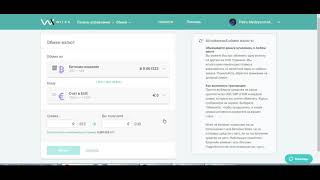
18. If you wish to pay for any packets in TetraX, e.g. in USD or EUR, you should to press for this red button (in a page of TetraX), then press button Payment, new schema for payment is arrived, click Payment and you will be transferred to the page for the payment using system PerfectMoney.
19. This page is related to perform the payment using PerfectMoney.
As for payment in btc, the procedure for TetraX is similar to one described above relating to payment in btc for binary.
Dear friends and partners! subscribe to the channel https://goo.gl/maiFyu
Теги:
#Apresentação #Catarina_Moreira #Bohdan_Kostyk #Holding 1-9-90 #TetraX #Rich_De_Bar #Presentation #Binary
Похожие видео


Мой аккаунт