

Monday, 03 August, 2026г.
















Где искать: по сайтам Запорожской области, статьи, видео ролики
пример: покупка автомобиля в Запорожье
DNS address could not be found Site couldn't be reached!! - Howtosolveit
 У вашего броузера проблема в совместимости с HTML5
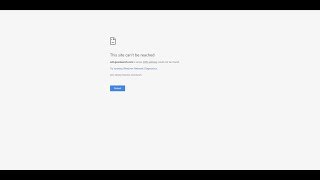
Solve server DNS address could not be found Site couldn't be reached. This site can't be reached. DNS address could not be found fix. Steps to fix server DNS address could not be found and dns_probe_finished_bad_config or it says Error code: DNS_PROBE_FINISHED_NXDOMAIN or DNS PROBE FINISHED NXDOMAIN, This webpage is not available because DNS lookup failed.
Step 1:
Right click on Start icon and click Open Network Connections.
Step 2:
Now right click on your active Network Connection (WiFi, LAN, Ethernet, etc.) and click Properties.
Step 3:
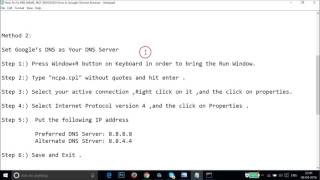
Select “Internet Protocol Version 4 (TCP/IPv4)” and click Properties.
Step 4:
Click Use the following DNS server addresses: and add below server addresses and click OK.
Preferred DNS Server: 8.8.8.8
Alternate DNS Server: 8.8.4.4
Step 5: Restart your PC
Thanks for watching Howtosolveit Channel
http://www.youtube.com/c/Howtosolveit #Howtosolveit #Howtosolveit
Теги:
Howtosolveit
Похожие видео


Мой аккаунт