

Wednesday, 26 August, 2026г.
















Где искать: по сайтам Запорожской области, статьи, видео ролики
пример: покупка автомобиля в Запорожье
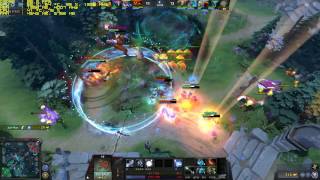
Dota 2 | WTF? Mode | DX9 Ultra 150FPS+ | GTX 1060 & i5-6600k | 1080p + LOW FPS FIX
 У вашего броузера проблема в совместимости с HTML5
Please subscribe, guys! It really makes a difference for me. :)
Performance comparison same setup + 6700k CPU here: https://youtu.be/Y5g0ynaPsNI
How to fix low FPS problems with higher model GPUs: https://youtu.be/s1lmPzM4nc4
1. Set Nvidia Control Panel- Manage 3D settings- Program Settings - Dota2.exe - Set power management to "maximum performance"
2. Go to your dota 2 folder in steam/steamapps/common/dota 2 beta/Game/dota/cfg folder.
3. Open Notepad & save a file as autoexec, change the .txt extension to .cfg; & save as "all files".
Add these lines to autoexec.cfg:
fps_max "0" //removes FPS cap
m_customaccel "0" //Removes mouse acceleration
engine_no_focus_sleep "0" //Prevents crashes & low fps if alt+tab
--------------
4. Right click on Dota in Steam/Properties/Set launch options & add the line: +exec autoexec
After those changes your framerate will be unlocked & your GPU Utilization will run higher, also increasing your minimum FPS compared to the standard power saving mode. Ofcourse this is only a benefit if you are running a 144hz+ monitor. You can also try changing fps_max "0" to 145 or other values in autoexec.cfg
-------------------------
Playing on SMART LTE.
System Specs:
[email protected] /w Deepcool Maelstrom 240T
PALIT GTX 1060 6gb Super Jetstream
2x8gb 2400mhz DDR4 Corsair LPX
MSI Z170A Gaming Pro Motherboard
Seasonic Platinum 660XP 660W
2x Transcend 256gb SSD370S Raid 1(OS)
2x Transcend 256gb SSD370S Raid 1(Games)
Windows 10 x64
Peripherals:
LG 24GM77 144hz Gaming Monitor
Kingston HyperX Cloud Revolver headset
Logitech G502 Mouse
Thermaltake Poseidon Z RGB Brown Switch Keyboard
-------------------------
Теги:
DOTA 2 Dota 2 GTX 1060 DOTA 2 WTF? Mode DOTA 2 200FPS DOTA 2 6600k GTX 1060 6600k WTF? Mode Dota 2 Ultra 200 FPS High FPS Dota 2 gtx 1060 FPS dota 2 gtx 1060 Framerate Dota 2 FPS FIX
Похожие видео
![[DOTA 2] TINY СПЁР ТРУСИКИ СТРИМЕРШИ КАРИНЫ #2](/images/mq/e/4d/9bWmivsofj9F_6.jpg)

Мой аккаунт