

Tuesday, 23 June, 2026г.
















Где искать: по сайтам Запорожской области, статьи, видео ролики
пример: покупка автомобиля в Запорожье
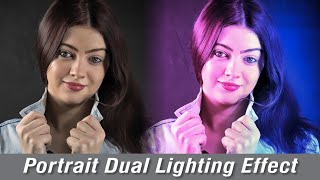
Dual Toning (Teal and Orange) with HSL Adjustment (using Affinity Photo)
 У вашего броузера проблема в совместимости с HTML5
Here's how you can use the HSL adjustment to dual-tone an image, pushing colours towards a complementary pair of core coliours. In this case, we are using teal and orange, but you can use any others.
This is using the dual-tone approach of pushing colours towards other colours rather than a common alternative of using luminosity (lights and darks) as the guiding control. This approach works better in some images, but not in others, so understanding how it all works is very helpful.
This is shown using the splendid Affinity Photo, though other editors may also be used.
Похожие видео



Мой аккаунт