

Saturday, 08 August, 2026г.
















Где искать: по сайтам Запорожской области, статьи, видео ролики
пример: покупка автомобиля в Запорожье
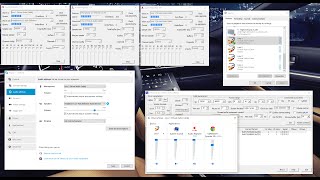
Dxtory + Virtual Audio Cable game recording setup (seperate your skype and game audio)
 У вашего броузера проблема в совместимости с HTML5
This episode is dedicated to those who want to improve upon your audio. I personally thank you subsribers and viewers alike who have helped my channel grow so fast in such a short amount of time. Please read the warnings below before going to the download websites for the applications. For any of the links below you are sole responsible for what you link to or download. Please be advised to be careful when downloading and installing to ensure no extra content is received and also be advised not to click on any advertisements to external websites. Be careful not to install any free add-ons when install the main application. If pay for any of the software I list below please ensure you are paying via a secure medium such as Paypal. Please note I am not at all trying to pressure you into downloading, installing or buying any of the listed below, it is entirely up to you. Software downloads and useful links: -Dxtory: http://exkode.com/dxtory-buy-en.html -Open Broadcaster Software (not featured in tutorial): https://obsproject.com/ -Virtual Audio Cable (recommend buying the most expensive plan): http://software.muzychenko.net/eng/vac.htm -Mega codec pack lite (includes lagarith lossless codec): http://filehippo.com/download_klite_mega_codec/ -Speccy (tells you what hardware you have in your computer)(download free version): https://www.piriform.com/speccy/download -Adobe creative cloud 30 day trial (not featured in tutorial): http://www.adobe.com/au/creativecloud/catalog/desktop.html?promoid=KSPAJ -AVS software (video and audio conversion software): http://www.avs4you.com/Register.aspx -Youtube encoding settings: https://support.google.com/youtube/answer/1722171 Research/youtube video links: - Recording and livestreaming with open broadcaster software + dxtory: https://www.youtube.com/watchv=0tBqiUZE1t4&list=WL&index=10 - Installing virtual audio cable (only listen to as much of the video as you need) https://www.youtube.com/watchv=EMyiv7DRu3Q&list=WL&index=5 Useful videos: - Dxtory x264 codec: https://www.youtube.com/watchv=weafMPHFxGQ&list=WL&index=9 - Live streaming with voice enhacement: https://www.youtube.com/watchv=WzjvjnHsUrk&index=4&list=WL - Enhancing voice using adobe audition: https://www.youtube.com/watchv=6x__NthInRs&index=13&list=WL - Install and setup Open Broadcaster Software: https://www.youtube.com/watch?v=IMn7QxlW5UI Dxtory + Open Broadcaster Software live streaming setup: https://www.youtube.com/watchv=0tBqiUZE1t4&index=10&list=WL Music: - Well Worth the Wait (downloaded from free Youtube music)
Теги:
Recording (Industry) Dxtory Virtual Audio Cable Skype (Software) Tutorial (Media Genre) Knoxxed Out Gaming Software (Industry)
Похожие видео


Мой аккаунт