

Thursday, 04 June, 2026г.
















Где искать: по сайтам Запорожской области, статьи, видео ролики
пример: покупка автомобиля в Запорожье
Final Cut Express tutorial Freeze time pt1
 У вашего броузера проблема в совместимости с HTML5
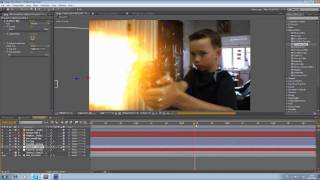
A tutorial on how to create a time freeze effect in final cut express Here are all the steps in part 1: You need footage in this order, Walk offscreen to get something to catch your object in, do a gesture to exit the time freeze, and toss the ball into your catching thing. Make sure you do some gesture that ends in your starting position to freeze time while the ball is in mid air as you toss it. You also need a picture of your object facing the camera how it was when you want it to stop Move the audio off to the side so it doesn't get in the way Cut the video up the point where you start tossing the object, and put it at the beginning Find where you want time to freeze and cut it Copy and paste the first clip, drag it all the way out, and put it right after the first clip Find the point in the second clip where you gesture to unfreeze time Paste the first clip again and take the part after it ends, then put it in the second layer where the bottom ends, and drag the bottom part out to where the top part ends Paste the first clip again, and put any part of the video without your catching thing in it and put it above the first clip and cut it to the same size Crop this clip so the catching thing is just out of view Add a third track, and add the image of your object to it Go to effects, video filters, matte, and mask shape (if you have and odd shaped object, you can put it against a green screen and key it out) Choose the shape your object is, and play around with the tabs and the center until the mask fits yours object Drag the image to the beginning, and go to the last frame of the first clip to position it Go to color correction, and use a color corrector on the object Use "Hue" at first Use "Color Balance fir more accurate color change Use Darks to increase and decrease the levels of dark colors in the picture, same with mids and whites Use saturation to saturate and desaturate the image WATCH PART 2
Теги:
Tutorial Final Cut Express Time Freeze Freeze Time Effect Evilwardrobeproductions final cut special effects
Похожие видео
Мой аккаунт