

Thursday, 04 June, 2026г.
















Где искать: по сайтам Запорожской области, статьи, видео ролики
пример: покупка автомобиля в Запорожье
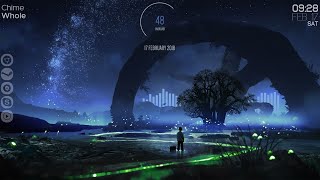
Firewatch desktop theme - Rainmeter tutorialer
 У вашего броузера проблема в совместимости с HTML5
This theme was just a simple example of Rainmeter
you can make any thing with it
[ NOTE: remember if the layer1 is not fitting your desktop properly try putting your monitor resolution on it.
follow the steps:
1. open the layer 1.ini file
2. change the "W=1600" and "H=900" to your display resolution.
[[ like if your are using a 720p display then change it to W=1280 and H=720
if it's 1080p or fhd then change it to W=1920 and H=1080
3. save it and try it again. ]]
Things you will need to make this:
#1. https://www.rainmeter.net/ -- download rainmeter
#2. https://www.deviantart.com/alatsombath/art/Fountain-of-Colors-desktop-music-visualizer-518894563 -- Fountain of Colors
#3. https://www.deviantart.com/aidendrew/art/Gray-496330193 --:Gray:
#4. https://mega.nz/#F!GMdhyAqb!fu9q5kkRw2KVi3dEJm9-Rg -- Layer1
#5. https://www.deviantart.com/aaronolive/art/Firewatch-Mods-619259473 -- firewatch wallpaper
How to add your layer1 folder in rainmeter MUST READ: After downloading the layer1
Go to This pc , Document , Rainmeter , Skins
And then pest the layer1 folder in the skins folder. Restart your rainmeter and you are good to go.
song -- "Push Play" by Cheap Talk.
Album is "Let's Get Electric - 1987"
had to change the song cause of copystrike stuffs
I do not own the music in this video
edit after 1year: they Ducked me with copystrick
Теги:
Rainmeter desktop music visualizer Fountain of Colors :Gray: AidenDrew Firewatch wallpaper deviantart skin theme video game theme
Похожие видео
Мой аккаунт