

Monday, 22 June, 2026г.
















Где искать: по сайтам Запорожской области, статьи, видео ролики
пример: покупка автомобиля в Запорожье
H96 Max RK3318 Fixed with Firmware Update
 У вашего броузера проблема в совместимости с HTML5
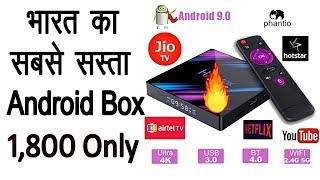
Product Description: H96 MAX RK3318 4GB RAM 64GB ROM / 4GB RAM 32GB ROM / 2GB RAM 16GB ROM Android TV Box
Build Release File Name: RK3318_DC_H96_Max_RK3318_noroot_HS2734C_9_20190715.1834.7z
Required tool you need.........
i) H96 Max RK3318 Firmware & Tools.
Download all files needed for the H96 firmware Update:
https://drive.google.com/drive/folders/1SI0M3wKkl2R_49ad_mIhqWY-egI59LvW?usp=sharing
ii) 1- Male to Male USB Cable. (witch you can get form any online store)
https://amzn.to/2GGGlky
iii) 1- Paper Clip / Toothpick
Now Steps are ---
1. Unzip all H96 Max RK3318 Official Firmware & Driver Assist & FactoryTools.
2. Install Driver Assist_v4.5
3. Run FactoryTools_v1.64
4. Change Language to English
5. Browse the Firmware
6. Select Upgrade in radio button
7. Press Run Button
8. Insert Paper Clip / Toothpick to AV Jack you will find a button in the end of AV Jack,
9. Press and hold the button by Paper Clip / Toothpick till 4 % of loader downloading process then release the button & wait till complete the process. It will get a Success full 1 Massage, then press stop and unplug the device and enjoy the TV box.
Теги:
H96 Max RK3318 Firmware Update H96 Max RK3318 Problem Solved H96 Max RK3318 ROM Fixed H96 Max RK3318 Stuck on boot H96 Max Android 9 Boot Issue H96 Max RK3318
Похожие видео


Мой аккаунт