

Monday, 03 August, 2026г.
















Где искать: по сайтам Запорожской области, статьи, видео ролики
пример: покупка автомобиля в Запорожье
How to Batch List Many Items to eBay Using Sku Fetch and eBay File Exchange
 У вашего броузера проблема в совместимости с HTML5
Get the Chrome Extension Here: https://chrome.google.com/webstore/detail/sku-grid-%E2%80%94-ebay-file-exch/elnfiicmkhlbjjnncehkaljbhbmgfnnp
Get Sku Grid: http://skugrid.com/web/?ref=FreeGift
In this video, we will show you how to batch list many items to eBay using Sku Fetch and eBay File Exchange all without API access.
Log into your eBay account.
Log into Sku Fetch.
In Sku Fetch, click Batch Fetch.
Load your supplier urls into Sku Fetch.
If any of your urls might have variations, you can click the checkbox next to Process and List Variations so that multi variation listings will be created on eBay for them.
Click Send to Lister Now.
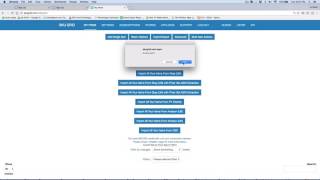
You will see an alert letting you know how many items you have placed in the queue to be listed.
It will also tell you that Your batch items are currently being sent to queue, please wait few minutes before submitting another batch.
Sku Fetch will retrieve your supplier information and pull in your default settings from Sku Fetch. The chrome extension will send a CSV file of your items to be listed to eBay File Exchange and eBay will begin processing.
Please allow some time. Batch listing runs start every 30 mins and will take longer to post depending on number of items submitted and how fast eBay processes your file exchange requests.
You can check the status of your upload at anytime by visiting eBay's File Exchange View Upload Results section.
Back on your Sku Fetch item list, you'll see the listings that you put in queue.
They will be going from a pending_batch status meaning that Sku Fetch is still retrieving the supplier information and preparing the listings.
They will change to a pending batch listed status which means that the information is in the process of being sent to eBay and eBay may have already received the file.
Once eBay has processed the items, the status on the Sku Fetch item list will display a listed status or an errored status.
If there was an error, you can view the error message to learn more.
Any items that were variation items will be listed as multi variation listings and non-variation items will be listed as regular listings.
Once the items are in a listed status, they will start exporting to Sku Grid for tracking and repricing.
Please be mindful that listing and repricing through eBay file exchange also uses your call limits. eBay has a call limit for most users of 5,000 calls per day. Keep this in mind when trying to list a lot of items. If you find that you are exceeding your call limits, you can simply contact eBay's File Exchange Department and ask for an increase in your File Exchange Call Limits.
Thanks for watching! We'll see you in the next video.
https://youtu.be/1gsmIcj0fDA
Incoming Search Terms: Sku Grid, Sku Fetch, Sku Fetch Batch Listing, Batch List Without eBay API, Bulk List eBay Without API, List on eBay Without API, List Many Items eBay Without API, No eBay API, eBay No API, Without eBay API, Sku Grid API, Sku Fetch File Exchange, File Exchange Lister, File Exchange Bulk Listing, File Exchange Bulk Lister, eBay Listing Tool, eBay Auto Lister, Sku Fetch Training, Sku Fetch Tutorial, Sku Fetch Demo, Sku Grid Training, Sku Grid Tutorial, Sku Grid Demo, Sku Fetch Review, Sku Grid Review, eBay File Exchange Review,
Теги:
Sku Grid Sku Fetch Sku Fetch Batch Listing Batch List Without eBay API Bulk List eBay Without API List on eBay Without API List Many Items eBay Without API No eBay API eBay No API Without eBay API Sku Grid API Sku Fetch File Exchange File Exchange Lister File Exchange Bulk Listing File Exchange Bulk Lister eBay Listing Tool eBay Auto Lister Sku Fetch Training Sku Fetch Tutorial Sku Fetch Demo Sku Grid Tutorial Sku Grid Demo Sku Fetch Review
Похожие видео



Мой аккаунт