

Friday, 05 June, 2026г.
















Где искать: по сайтам Запорожской области, статьи, видео ролики
пример: покупка автомобиля в Запорожье
How To configure Multiple Inboxes in GMail Users
 У вашего броузера проблема в совместимости с HTML5
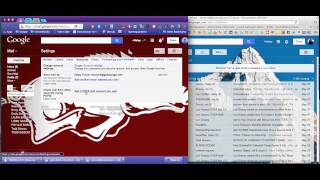
Setting up your OCDSB GMail - Part TWO: Using Multiple Inboxes
REVISION: - You may also need to turn OFF any option in "Configure Inbox" in your GMail settings for this to work!
(See Part One to forward Google Group conferences to your GMail account: https://www.youtube.com/watch?v=SFQHx2uBkiU)
This tutorial shows you how to set up your GMail account to organize your Inboxes into multiple columns.
Collect posts from your School's Group conference and keep them corraled in their own section of your GMAIL screen. Use other labels to group unsent email drafts, or "starred" emails to help organize your communications workflow
Похожие видео

Мой аккаунт