

Thursday, 11 June, 2026г.
















Где искать: по сайтам Запорожской области, статьи, видео ролики
пример: покупка автомобиля в Запорожье
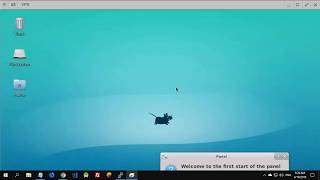
How to create an Ubuntu Linux graphical desktop in the Amazon EC2 cloud and view it using Windows
 У вашего броузера проблема в совместимости с HTML5
Please click on 720p and full screen to view the video correctly. This video explains how to create an Ubuntu Amazon EC2 instance with graphical desktop so that you can use a graphical Linux system without installing Linux on your Windows desktop. At the time of this video's creation, there was no charge at all for using the Amazon yellow-star Micro instance during the first year of use. Please check that the terms and conditions have not changed before going ahead or you might find a fee on your credit card. (Usually the fee is just a few cents for the Micro instance, anyway.) Don't forget to APPLY the rule change after adding the rule 5900-5910. This is a common mistake. After adding the rule, you must click the APPLY button for it to take effect. See the video at 7:20. Below are items of text you can copy-and-paste to save you typing what is typed in the video. (Starting site:) aws.amazon.com (AMI to search for:) daily-i386-desktop [Look for something a bit like this: ebs/ubuntu-images-testing/ubuntu-lucid-daily-i386-desktop-20110809 (ami-01bb7a68)] (Stuff to type at the Linux command prompt, please copy only one line at a time:) sudo apt-get update sudo apt-get install vnc4server vncserver :0 sudo vi ~/.vnc/xstartup (What to type in the 'vi' editor to edit the file; beware, it is CaSe SeNsItIvE, and ensure you press little-o, the letter, not zero, the number, after pressing d 4 times; [ESC] means press the ESCAPE key on your keyboard:) (go to last line using the down-arrow key) dd dd o gnome-session& [ESC] ZZ (What to type every time you want to start a desktop, you need to do this after every reboot of the EC2 system you created, i.e., every time you stop and start it:) vncserver -geometry 1024x768 -depth 16 :1 (If you want to create multiple desktops for multiple users, with different sizes, try this as well, just remember to add the correct colon-number when loading TightVNC on your Windows desktop:) vncserver -geometry 800x600 -depth 16 :2 vncserver -geometry 1280x720 -depth 16 :3 My channel is: youtube.com/BOINCisHOT Here is the invoice I got from Amazon for doing this video. As you can see, there was no charge. US West (Northern California) Region Amazon EC2 running Linux/UNIX $0.00 per Micro Instance (t1.micro) instance-hour (or partial hour) under monthly free tier: 1 Hr 0.00 Amazon EC2 EBS $0.00 per GB-month of provisioned storage under monthly free tier: 0.200 GB-Mo 0.00 $0.00 per 1 million I/O requests under monthly free tier: 38,541 IOs 0.00 $0.00 per 10,000 gets (when loading a snapshot) under monthly free tier: 667 Requests 0.00 TOTAL: $0.00
Теги:
windows computer tutorial linux desktop ubuntu software computers visual install setup set EC2 Amazon cloud computing gnome graphical UNIX VNC TightVNC server remote control config configure easy installation simple latest boinc research donation system technology using world community grid philanthropy donate time software tutorial
Похожие видео
Мой аккаунт