

Saturday, 06 June, 2026г.
















Где искать: по сайтам Запорожской области, статьи, видео ролики
пример: покупка автомобиля в Запорожье
How To Fix OBS Directx Errors 2016 | Quick Tip - Windows 8, 8.1, 10
 У вашего броузера проблема в совместимости с HTML5
OBS is a very powerful free screen recording software. OBS is open source so i case of any errors or problems there's no one to contact.
Never miss the excitement. Subscribe! ~ https://www.youtube.com/channel/UCn-oGmPf90b6JhmldBfmDsQ?sub_confirmation=1
OBS has some major errors and in this video i will teach you how to fix those errors.
Mainly :
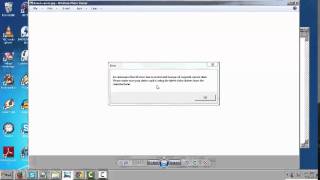
Error: Could not initialize DirectX 10 on Intel® HD Graphics. This error can happen for one of the following reasons:
1.) Your GPU is not supported (DirectX 10 is required - note that many integrated laptop GPUs do not support DX10)
2.) You're running Windows Vista without the "Platform Update"
3.) Your video card drivers are out of date
If you are using a laptop with NVIDIA Optimus or AMD Switchable Graphics, make sure OBS is set to run on the high performance GPU in your driver settings.
Watch this video if it doesn't work for you - https://www.youtube.com/watch?v=NTFeLDzH02Y
64bit Devices
Dropbox LINK - http://adf.ly/1a8yLz
Mega.Nz LINK - http://adf.ly/1Y7TUd
32bit Devices
http://adf.ly/1ZPA6h
Sony Vegas Pro For Free - https://www.youtube.com/watch?v=LR7rrExuhlA
Music: ♫
Please Subscribe for more content.
Twitter - http://goo.gl/IOCwoI
Music By NCS
Теги:
kobina asar obs DirectX 10 on Intel® HD Graphics Could not initialize Your GPU is not supported directx obs lag fix best obs settings best obs settings for recording open broadcaster software free screen recording software how to record your screen for free intel graphics GeForce 1080p tutorial obs tutorial obs 2016 obs windows 10 obs twitch obs directx 10 error fix obs wont install direct x error for obs how to fix directx how to fix obs error
Похожие видео

Мой аккаунт