

Wednesday, 24 June, 2026г.
















Где искать: по сайтам Запорожской области, статьи, видео ролики
пример: покупка автомобиля в Запорожье
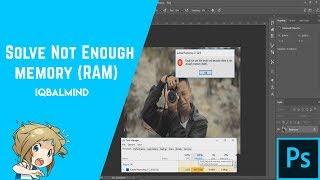
How to fix RAM error in Adobe Photoshop any version | "NOT ENOUGH MEMORY(RAM)" error fix
 У вашего броузера проблема в совместимости с HTML5
Welcome to PC Core!
Today i am going to show you how to fix PS RAM error.
This method works fine with any version.
Subscribe for more.
Steps
..........
Step 01 - Open Registry editor
Step 02 - Go to HKEY_CURRENT_USER/Software/Adobe/Photosop/120.0/
Step 03 - Create a new 32bit DWORD value
Step 04 - Rename it as "OverRidePhysicalMemoryMB"
Step 05 - Open that and set value to 240(Remember the dot should be in Hexadecimal)
..............................................................
Problem Solved.Thanks For Watching
Visit Our Website - https://pccorenet.wordpress.com/
Audio Credits - Niviro Diamond (NCS Release)
Теги:
PS RAM error Fix
Похожие видео


Мой аккаунт