

Tuesday, 21 July, 2026г.
















Где искать: по сайтам Запорожской области, статьи, видео ролики
пример: покупка автомобиля в Запорожье
How To Hard Reset Huawei Y330-u05 Cell Phone
 У вашего броузера проблема в совместимости с HTML5
You will need to hard reset your Huawei Y330-u05 cell phone whenever you are experiencing problems such as: limited space, apps failure. With this video you need not to spend a lot of money at the phone shop to get your Huawei Y330-u05 smartphone factory reset.
Published by : Reynaldo Thomas
STEPS For Hard Resetting Huawei Y330-u05 Cell Phone
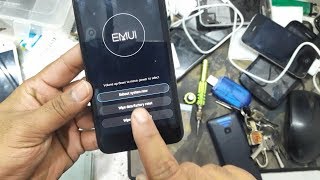
1.Press and hold the volume down , volume up and power button
2.Release when phone vibrates
3.Use volume down to scroll to wipe data factory reset
4.Use power button the choose
5.Then go to delete all user data
6.Press power for OK
7.Then press power button to choose reboot system now
Похожие видео

Мой аккаунт