

Monday, 15 June, 2026г.
















Где искать: по сайтам Запорожской области, статьи, видео ролики
пример: покупка автомобиля в Запорожье
How to Install Magic Dragon on KODI 18.2
 У вашего броузера проблема в совместимости с HTML5
1. At the top left click the System Settings Icon
2. Click File Manager
3. On the left click Add Source
4. Click where it says NONE
5. Enter the URL: http://mavericktv.net/mavrepo and click OK
6. In the next box down name it mavrepo and click OK
7. Double check everything is correct and click OK
8. Go back to the main menu and click Add-ons
9. Click the Add-on Package Installer Icon at the top left
10. Click Install from zip file
11. A box will open find and select mavrepo
12. Click repository.maverickrepo-3.8.zip
13. Wait for the top right to popup and say MaverickTV Repo
Installed
14. Click Install from repository
15. Click Maverick TV Repo
16. Click Video Add-ons
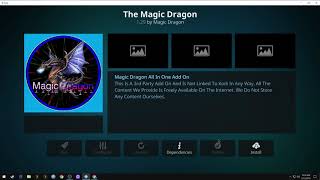
17. Click The Magic Dragon
18. Click Install
19. A box will popup showing all the dependencies and add-ons
that will be install Click OK
------
#Howto #Kodi18 #Addon #MagicDragon #Kodi #Leia #How #install
------
Please check my portfolio:
https://www.behance.net/moazzamadil
https://www.instagram.com/creative_design.solutions/
https://www.facebook.com/crdesolutions
Похожие видео



Мой аккаунт