

Thursday, 02 July, 2026г.
















Где искать: по сайтам Запорожской области, статьи, видео ролики
пример: покупка автомобиля в Запорожье
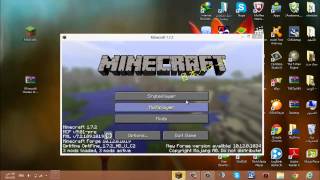
How to Install Minecraft Shaders Mod + OptFine for 1.7.9 & 1.7.5 on Mac | Easy | HD
 У вашего броузера проблема в совместимости с HTML5
A very fast and easy tutorial on how to install Shaders Mod and OptFine for Minecraft 1.7.9 and 1.7.5.
Can we get 20 LIKES for my first ever video?!
Links: Everything you need is just these two files!
OptFine Installer [Be sure to install OptFine first!]
http://adf.ly/po6R6
Shaders Mod Installer
http://adf.ly/po6Uo
Optional: In case you can not open those two files
Java SE Runtime Environment 7
http://bit.ly/1lku8Su
Follow me on Twitter! Giveaways soon!
http://bit.ly/1jJQbxE
Any questions or concerns please put them in the comments! Everything helps!
Be sure to LIKE, FAVORITE, and SUBSCRIBE!
Lots of Tutorials and Minecraft videos in the future!
Note: I've been looking everywhere for a tutorial that actually works and it easy to understand. I could not find a single one. This tutorial will work 100% without a doubt. This is how I did it for my Mac and its very easy to do. Enjoy!
Shaders include: GLSL, SUES Shaders, RudoPlays, and many more!
If you want a Tutorial on how to get Shaders, just comment down below.
Теги:
Minecraft (Award-Winning Work) Mac OS (Operating System) How-to (Website Category) Tutorial (Media Genre) Shaders Mod Minecraft 1.7.9 Easy Minecraft OptFine Macintosh (Video Game Platform) Video Game (Industry) Slideshow Simple
Похожие видео
![How to Install OptiFine with Shaders for Minecraft 1.8.8 [Mac]](/images/mq/e/e5/9tBTfK-A6UDn-c.jpg)
Мой аккаунт