

Monday, 06 July, 2026г.
















Где искать: по сайтам Запорожской области, статьи, видео ролики
пример: покупка автомобиля в Запорожье
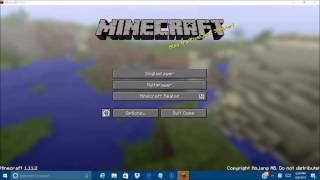
How to Join a Minecraft Multiplayer Server (PC and Mac)
 У вашего броузера проблема в совместимости с HTML5
You will need an IP
(e.x. 96.44.143.26:25567)
-If you do not have an IP, but would like to join a Minecraft server, the besst are listed in order here: http://minestatus.net/
Steps:
0. Open Minecraft and Login (You MUST have a registered account)
1. Click Multiplayer
2. Click Add Server
3. Name Server
4. Enter iP Adress
5. Click Join Server
6. Enjoy!
If you have any questions you may leave them below, and I will try to respond ASAP.
F.A.Q.
1. do you need money to do multiplayer?
Depends. Most servers are free, but some exclusive servers charge you. (it is very rare for charges so be wary) (If you are unsure message me)
2. failed to login user not premium? what this?
This means you are not using a legitimate copy of Minecraft. (You didnt pay, you only registerd)
3.mine says:Interal exception: java.net.SocketExcption : Connection reset
What's that??
Either your internet or the server is down. (try restarting the game, if that doesnt work and your internet is working, contact the server admins)
Похожие видео



Мой аккаунт