

Saturday, 15 August, 2026г.
















Где искать: по сайтам Запорожской области, статьи, видео ролики
пример: покупка автомобиля в Запорожье
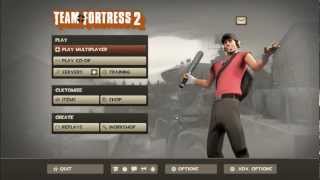
How to Reduce lag and get more FPS in TF2 or any other Game *HD*
 У вашего броузера проблема в совместимости с HTML5
Copy and paste this code into the 'launch options' window:
(You can change the number from 79 to 90 but 81 is more stable)
-Dxlevel 81
(use this code If the codes above are making problems.)
-autoconfig
or
-mat_phong 1
This also works for Space Engineers!
__________________________________________________
NEW - Official Razer Game Booster free and safe! http://www.razerzone.com/gamebooster/
MUSIC - Rocket Jump Waltz remix:
http://www.youtube.com/watch?v=XxAB9BAxpJw&feature=related
NOTE: You do not need to go to "Check Processor speed" (1:04) and reduce the appearance anymore because Razor Game Booster does it for you!
__________________________________________________
Ask a question on the comments below if your having problems, and I will answer them as soon as possible! Recently asked questions are answered down below.
__________________________________________________
Ignore this
Team Fortress 2, TF2, How to make games run faster, boost computer speed, slow fix, good tutorial, HD, High Definition, slow computer PC, TF2 FPS problem fix, FPS issue, how to get more Frames per second FPS, Boost More FPS and Memory space, CPU, GPU, Graphics Card, Graphics, Boost FPS game speed, Space Engineers no lag, solve problem, issue, Call Of Duty, COD, Black Ops 2, Kill-strike, Portal, Half-life Episode 3, COD Ghosts, Watch Dogs, GTA V, Grand Theft Auto 5, Destiny, PC Gaming, MLG, Snipars, Vagabonds, YTP, Do u do the dew, Scout is dead not big surprise.
Похожие видео
![[Игровые голоса] Team Fortress 2](/images/mq/9/61/6ws6ShAQ1yyTM2.jpg)
Мой аккаунт