

Sunday, 05 July, 2026г.
















Где искать: по сайтам Запорожской области, статьи, видео ролики
пример: покупка автомобиля в Запорожье
How to Restore or Undo Missing Windows Photo Viewer in Windows 10
 У вашего броузера проблема в совместимости с HTML5
How to Restore or Undo Missing Windows Photo Viewer for Current Account in Windows 10
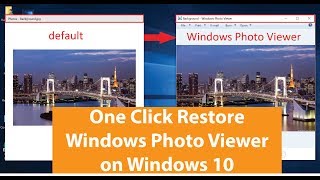
Windows Photo Viewer is one of the things that gets removed, or hidden from access after installing Windows 10. The new Photos app takes charge as the default handler for image files in Windows 10.
Good news is that the Windows Photo Viewer application still exists in the same location in Windows 10, but what’s removed is only its registration. If you’re not a fan of the new Photos app, you can revert back to Windows Photo Viewer which itself is a sleek application.
Windows 10 has an updated version of the DLL, but for some reason Microsoft decided to keep this application hidden from users.
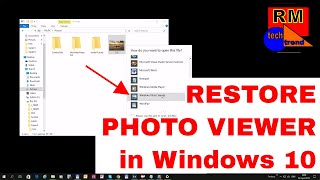
To activate Windows Photo Viewer, you need to register it with Default Programs applet, and add back the file association data related to Windows Photo Viewer.
Download Restore Windows Photo Viewer CURRENT USER: https://mega.nz/#!lQUmFKKb!_JX-sXA4X51ZRyfVBfRcBBixweIwuD_aeaPnZPDOll8
Download Undo Restore Windows Photo Viewer CURRENT USER: https://mega.nz/#!dZNlnQbb!fDSUQMYykvl4-TFOrpOdVb2JHDnmZd8kMCBHz-E_aYM
NOTE: This is the default setting.
Download Blue World Map Wallpaper: https://mega.nz/#!EZ1Bha6J!lsPYJZN9vb_Rs5tOuVPFvqHG9tJ42_cZbk__NRUYs54
Double-click the attached REG file. This registers Windows Photo Viewer with Default Programs, and adds file association settings for BMP, DIB, JFIF, JPE, JPEG, JPG, PNG, TIF, TIFF, WDP types.
f you get this error when running the REG file, no problem. Most of the settings would have been written correctly. Perhaps the file got stuck when writing to TIF/TIFF association settings, as the association for TIF/TIFF already exists even after upgrading to Windows 10. You may ignore the error message and move on.
Click Start, Control Panel, Default Programs. Click Set your default programs, and select Windows Photo Viewer from the list.
Click Set this program as default to associate Windows Photo Viewer with all image files types. Selecting this option associates all image files types with Windows Photo Viewer. To set it as default viewer for chosen image files types only, click Choose defaults for this program and configure it accordingly.
Music: Phantom Sage - Hollow [NCS Release]
https://youtu.be/4m9qzHyWPQo
Теги:
Windows Photo Viewer
Похожие видео


Мой аккаунт