

Friday, 31 July, 2026г.
















Где искать: по сайтам Запорожской области, статьи, видео ролики
пример: покупка автомобиля в Запорожье
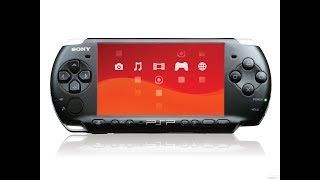
How To Run RemoteJoyLite On PSP 6.60 PRO-B10 CFW
 У вашего броузера проблема в совместимости с HTML5
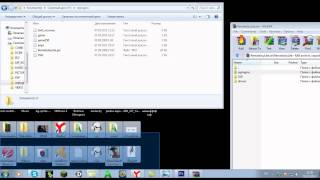
As per usual, everything you need to hear is in the video. Just download the files below, and use the text below to activate your plugins. You can use this on PSP Firmwares 5.00, 5.50, 6.20, and 6.3X as well as 6.60.
PSPDisp v0.6
http://dl.qj.net/psp/homebrew-applications/pspdisp-v06.html
RemoteJoyLite 0.19
http://dl.qj.net/psp/homebrew-applications/remotejoylite-019.html
Copy and paste this into your VSH, GAME, GAME5XX and GAME150 files: ms0:/seplugins/RemoteJoyLite.prx 1
If you want to use this with a POPSLoader, then copy this into your POPS file:
ms0:/seplugins/RemoteJoyLite.prx 1
flash0:/kd/usb.prx 1
If you are using A PSP Go, then change the ms0 to ef0 at the start of the text you copied above.
Wallpaper link: http://www.wallscorner.com/walls/ps3_buttons-normal.jpg
Follow me on -
Twitter: http://twitter.com/#!/HolmesInFive
The 1337 Network:
http://www.1337squad.com/
http://www.1337mods.com/
Recorded using Camtasia. Voice recorded with my PS3 Wireless Stereo Headset.
Теги:
HolmesInFive PlayStation Portable remotejoylite 0.19 psp custom firmware 6.60 PRO-B9 PRO-B10 hacks -hacks Games Game windows drivers 64bit driver signature unsigned Ps3 Ps2 Sony dash 2011 psv vita Console software video game mobile device software tutorial Video Game Console Olympic Games Nintendo Xbox Maker Wii Ps1 Gameplay Gamecube
Похожие видео
Мой аккаунт