

Wednesday, 29 July, 2026г.
















Где искать: по сайтам Запорожской области, статьи, видео ролики
пример: покупка автомобиля в Запорожье
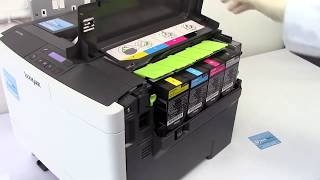
How to set your Lexmark MS710n / Lexmark MS710dn series laser printer to print on labels
 У вашего броузера проблема в совместимости с HTML5
Learn how to set your Lexmark MS710 series printer to print on label.
Related problems:
Toner not fusing onto page.
Toner leaking.
Light print.
This video applies to:
Lexmark MS710n
Lexmark MS710dn
This instructional video is brought to you by IDENTICO, manufacturer of Print.Save.Repeat.® brand of OEM alternative remanufactured printing supplies, available direct from the manufacturer at www.printsaverepeat.com and also through Amazon.com.
The toner cartridge part number compatible with the Lexmark MS710 series is the 521, 521H, 521XL, or 521HL.
http://www.printsaverepeat.com
http://www.amazon.com/print-save-repeat
Print.Save.Repeat. by IDENTICO
120 East Corporate Place #2
Chandler, AZ 85225
(480) 463-4548
Print.Save.Repeat. brand Remanufactured Laser Toner Cartridges, Custom Label Manufacturer, Printer Supplies: Toner, Labels, Ink, Ribbons. Supplies for Laser Printers, Thermal, POS
Похожие видео
Мой аккаунт