

Tuesday, 16 June, 2026г.
















Где искать: по сайтам Запорожской области, статьи, видео ролики
пример: покупка автомобиля в Запорожье
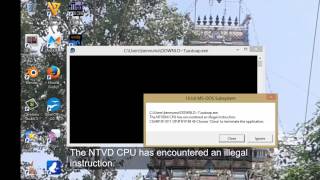
How To Solve The “16-bit MS-DOS Subsystem” Installation Error in Windows XP
 У вашего броузера проблема в совместимости с HTML5
In this video, I have solved an error which occurs when we try to install any program in Windows XP or other Windows 2000 Server-based computer.
Symptoms:
If you try to run an MS-DOS-based or a 16-bit Windows-based command on a Microsoft Windows Server 2003-based or a Microsoft Windows 2000 Server-based computer, you may receive one of the following error messages:
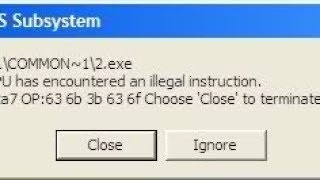
16-bit MS-DOS Subsystem
path to the program you are trying to start or install
C:\WINNT\system32\config.nt The system file is not suitable for running MS-DOS and Microsoft Windows applications. Choose 'Close' to terminate the application.
16-bit MS-DOS Subsystem
path to the program you are trying to run
config.nt The system file is not suitable for running MS-DOS and Microsoft Windows applications. Choose 'Close' to terminate the application.
16-bit MS-DOS Subsystem
path to the program you are trying to run
C:\WINNT\system32\autoexec.nt The system file is not suitable for running MS-DOS and Microsoft Windows applications. Choose 'Close' to terminate the application.
You may be prompted either to quit the program or to ignore the error message, but the program quits after either option.
Solution:
1. Insert the Windows Server 2003 CD or the Windows 2000 Server CD into the CD drive.
2. Click Start, click Run, type cmd, and then click OK.
3. Type the following commands, and press ENTER after each command:
expand D:\i386\config.nt_ %systemroot%\system32\config.nt
expand D:\i386\autoexec.nt_ %systemroot%\system32\autoexec.nt
expand D:\i386\command.co_ %systemroot%\system32\command.com
exit
If this does not solve your problem, please follow the given link for complete solution:
https://drive.google.com/open?id=1RuBvV1QkpIoZTvt3_gTxgeQeniiXOZIE
This video is part of a series on how to use virtualbox.
VirtualBox tutorial
https://www.youtube.com/playlist?list=PLnisUReSm0-nTIHjGwwzNIDdA7qVeLfe2
Channel Page:
https://www.youtube.com/tanzTalkstech
Subscribe:
https://www.youtube.com/tanzTalkstech
If you are interested in learning about Web Design. Check out these playlist
Portfolio Theme Bootstrap 4 Responsive Website from Scratch:
https://www.youtube.com/playlist?list=PLnisUReSm0-nXCgnGW3D-A4irRWQKkY4F
Business Theme Responsive Animated Bootstrap Website:
https://www.youtube.com/playlist?list=PLnisUReSm0-kLEHlrDkw12syBQ7xjhtG2
Create Various Parts of Webpage using HTML5 and CSS3:
https://www.youtube.com/playlist?list=PLnisUReSm0-nUd13Ju1p5NcrUxin9_XtI
Website Creation Tutorials:
https://www.youtube.com/playlist?list=PLnisUReSm0-nOe1CzyS3jEGk2-F9fl9A2
Host a website on your computer without any hosting server or buying domain:
https://www.youtube.com/watch?v=VlRQ6l6FsY0
Welcome to tanzTalks.tech! If this is your first time here thank you for stopping by. I appreciate you spending time here with me on this channel. Please subscribe and click the bell icon so you don’t miss anything.
Follow Me on Social Media
Instagram: https://www.instagram.com/tanztalks.tech
Twitter: https://www.twitter.com/tanzTalkstech
Google: https://plus.google.com/+tanzTalkstech
Youtube: https://www.youtube.com/tanzTalkstech
Facebook: https://fb.me/tanzTalks.tech
#VirtualBox #16BitMSDosSubsystemError #WindowsXP #VirtualBoxGuestAddtions #VirtualBoxTutorial #tanzTalkstech
Теги:
tanz tanzTalks tanzTalks.tech india developer youtuber 16 bit ms dos subsystem error fix windows xp 16 bit ms-dos subsystem the ntvdm cpu has encountered an illegal instruction the ntvdm cpu has encountered an illegal instruction windows xp config nt windows xp Autoexec.nt Command.com Config.nt Solve The 16-bit MS-DOS Subsystem Installation Error 16-bit MS-DOS Subsystem 16-bit MS-DOS Subsystem error in virtualbox
Похожие видео
Мой аккаунт