

Wednesday, 29 July, 2026г.
















Где искать: по сайтам Запорожской области, статьи, видео ролики
пример: покупка автомобиля в Запорожье
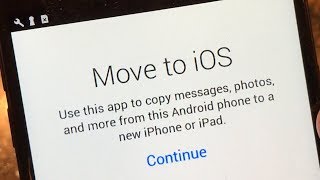
How to: Sync/Transfer your contact from your Android Device to Your IOS Device
 У вашего броузера проблема в совместимости с HTML5
How to:
Android-Ios
You will need a Android Phone and a iOS Phone
Android:
Go to settings, accounts, gmail account, sync now
iOS:
Go to Settings, Mail/Contacts/Calendars, add account, and type in your info plus you will need to type in m.google.com inside the server box provided, then click next and save.
You are done, go to phone, contacts, groups and tick the box for the Microsoft exchange. By then you should be able to see your contacts from your android device on your ios device.
Thanks for watching,
Subscribe,
Like,
Comment!
Теги:
Android (operating System) Your Own Phone Mobile How-to (Conference Subject) Subject (programming) Device (band) Cell Nokia samsung galaxy s4 iphone 5 transfer contacts sync contacts microsoft
Похожие видео
Мой аккаунт