

Wednesday, 10 June, 2026г.
















Где искать: по сайтам Запорожской области, статьи, видео ролики
пример: покупка автомобиля в Запорожье
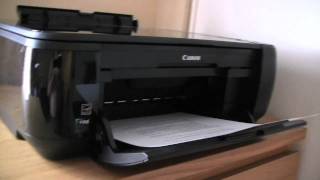
Ink tank Canon Pixma MP495 full - error E08/5B00 SOLUTION!
 У вашего броузера проблема в совместимости с HTML5
Ink tank Canon Pixma MP495 full - error E08/5B00 SOLUTION!
Explanation of buttons to press on the printer to put it in service mode and to use the software mode tool from the PC to control the ink counter for example.
It is mandatory to have it and know how to do this so when you print the top that brings the printer and will not let you print more. He will ask you to take her for service because you have exceeded 2000 copies (I think this amount) and you need to clean the sponge ink absorption, which in my case even more ink can soak very many. This cycle account each time you turn the printer counts as one copy and every time I think clean or turn off too. so do not be surprised if you get that error a few months of having it. So I advise only on the printer when you go to print something.
The mode tool I use is the same that is used to reset the Canon MP 250
SOFTWARE DOWNLOAD:
http://www.4shared.com/file/wx4Ca3R9/resetear_contador_tinta_canon_.html
(Copy all and paste the above link into your browser to download the software)
I hope you find it helpful as ami I had great difficulty finding the way. On google found a thousand ways but I ran. Whenever I get free time I upload the video better explained and more detailed. For any questions or need anything else send me a message with no problem, in spanish o perfect english for correct detection translator.
Теги:
black ops explosion exploit fear caida risa comedia serie videoclip inmunidad infinito lucha arcade aventura accion game tunningcheats chetos trucar hack hacker hackear sony xperia samsung htc siemens mini 2012 2013 2014 android xbox 360 ps2 psp ps3 iphone mobile RPG rol online oro exp aumentar ratas miedo terror pasar manual tutorial guia nerviozzo raupulus chipiona cadiz andalucia pinar virgen regla fuego print canon 495 280 mp495 ink tank pixma full solution e08 5b00 software mode tool
Похожие видео
Мой аккаунт