

Thursday, 04 June, 2026г.
















Где искать: по сайтам Запорожской области, статьи, видео ролики
пример: покупка автомобиля в Запорожье
InstaBot.py Tutorial - Automate Instagram / Basic Bot Setup
 У вашего броузера проблема в совместимости с HTML5
**Please Note This Video Is Outdated**
Whats up Guys, James D. from Buzzlabs and welcome to another tutorial! Today I am going to teach you how to Setup the basics to an Instagram bot using a free open source python script from gethub.com called InstaBot.py. This tutorial was done on a mac but will work on Windows and Linux Operating systems.
This Python Script will need to run in the background on your computer in the terminal. Instabot.py is a great option for people looking for a Free Automation Script for Instagram. This Script is free with that being said it is more work to setup than a paid service.. for those that have the time to set this up I would highly recommend giving it a try.
I came across this script searching through different automation services and am really digging it so far.
Stop Wasting so much time on Instagram and check out this video on how to Automate the Instagram Process and Grow your Page.
InstaBot.py Tutorial Outline
1. Install Visual Studio Code from Microsoft Link in in the D
https://code.visualstudio.com/
-Install python extension for VS Code
note: You can use the command line and your favorite text editor. You do not have to use Visual Studio Code.
2. Download Instabot.py Zip From Gethub.com
https://github.com/instabot-py/instabot.py
-Download as .Zip
3. Install Python Latest Version Python 3
https://www.python.org/downloads
3. Install Requirements from the Instabot.py Master folder
-$ cd desktop
-$ cd instabot.py master
-$ pip install -r requirements
5. Edit Example.py in your text editing program
-I would have to Suggest Notepad++ or Visual Studio Code. If you use VS Code you won’t have to open your terminal and open the folder. (not a big deal but I know a few people who are intimidated by anything in the Terminal.)
6.Edit userinfo.py to correct an error in the code. Pull Request 1078 to fix (at the time of this video )
https://github.com/instabot-py/instabot.py/pull/1078/files
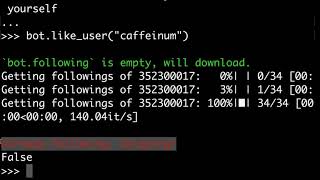
7. Run example.py file by right clicking the text edit area in VS Code and clicking "run in terminal" and see if everything logs in and runs correctly.
NOTE: If you have any issues checkout the Instabot.py page on Gethub and search for a fix to your problem
https://github.com/instabot-py/instabot.py/pulls
Links Below!!
Download InstaBot.Py Instagram Bot on Gethub - https://goo.gl/JmEPUL
Python
https://goo.gl/WG46dP
Music Credit Goes to:
Ehrling - X Rated - https://goo.gl/twPpif
Joakim Karud - Future Funk - https://goo.gl/DDCe71
Channel Page - https://www.youtube.com/c/JamesDBuzzard
Visit BuzzLabs Online- http://jamesdbuzzard.com/
Social Media
Facebook Page – facebook.com/Jamesdbuzzard
Instagram – instagram.com/jamesdbuzzard
Twitter – twitter.com/Jamesdbuzzard
My Everyday Photo Gear Below
Main Camera:
-Canon Eos SL2 - https://goo.gl/sXMYVD
My Favorite Camera Strap:
-Peak Design SlideLITE - https://goo.gl/tnYPQf
Awesome Budget Lens:
-Canon EF 50mm f/1.8 - https://goo.gl/uGrxgL
My Mobile:
-Samsung Galaxy Note 8 - https://goo.gl/aXF3vq
Main Tripod:
-Manfrotto Compact Action - https://goo.gl/a2vUWK
On the Go Tripod:
-JOBY GorillaPod 3K - https://goo.gl/cEnA2M
Mobile Tripod:
-JOBY GripTight PRO - https://goo.gl/XwNrmp
Best Camera Insert / Camera Bag:
-Ape Case Cubeze 39 - https://goo.gl/hSJWV2
**Amazon Links are Affiliate links. Thanks for helping out the channel!**
#jamesdbuzzard #BuzzLabs #instagram #instagrambot #instagrammarketing #automatedmarketing #automatedinstagram #instagramtips
Теги:
instagramtips automatedinstagram automatedmarketing instagrammarketing instagrambot instagram BuzzLabs jamesdbuzzard
Похожие видео
Мой аккаунт