

Sunday, 21 June, 2026г.
















Где искать: по сайтам Запорожской области, статьи, видео ролики
пример: покупка автомобиля в Запорожье
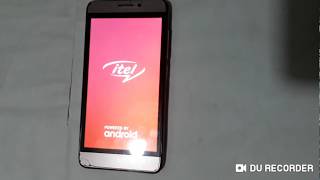
Itel s41 frp unlock new method (google account remove) by Sp Tools 2017
 У вашего броузера проблема в совместимости с HTML5
Itel s41 frp unlock new method (google account remove) by Sp Tools 2017
Password :-Officialroms
Download Itel S41 Frp unlock File:-
https://drive.google.com/file/d/0B_3LCrsS1aHZN3gzWmlmN1UwWkU/view?usp=sharing
YOu can Also Using Manually Format address:-
MT6737M
0x6a00000
0x100000
But YOu can use your on risk
Recently I decided to format your phone through the application SP Flash Tool and faced with the problem of this nature, after formatting Stock firmware is not what would not sewn through the utility. Naturally, I wanted to understand and find the solution to this problem. So, if you suddenly decided otfarmotirovat your device through SP Flash Tool, after the formatting you need to do some simple manipulations.
Go to "My Computer – System Properties – Device Manager"
We reserve the window for a while at rest
Go back to the SP Flash Tool
We see that after you connect your phone to the PC with the flashing, the phone refuses to completely sewn
Phone reserve connected to the PC
Go back to the "Device Manager"
We see roughly the "Alcatel" (literally do not remember)
Right click on your PC and click to remove the driver (if you sign the other, try to remove all the same)
After that, our detachable device from the USB
Go to the SP Flash Tool click the button "Download" and again we catch our device
Похожие видео
Мой аккаунт