

Monday, 06 July, 2026г.
















Где искать: по сайтам Запорожской области, статьи, видео ролики
пример: покупка автомобиля в Запорожье
Как установить патч на PES 2019? / PRO EVOLUTION SOCCER 2019 PC/PS4 RUS
 У вашего броузера проблема в совместимости с HTML5
Ссылка на патч:
http://pes-files.ru/pes_2019_ps4_option_file_pesviciobr_dlc_6_0
http://pes-files.ru/pes_2019_pte_patch_2019_update_3_1_ugdate_11_07_2019
Инструкция по установке:
PC:
Extract folder "WEPES" into "/ Documents / Konami / Pro Evolution Soccer 2019"
Open the game
Go to the "Extras" menu and open the "EDIT"
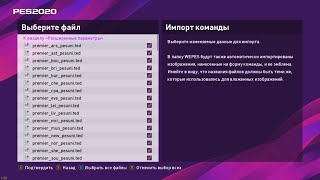
Data management and then import competition. Click quad to select all and "Go to Datalined Settings"
Select "Replace files ..." and "OK"
Then go to "Import Team" and select all and "Go to Datalined Settings"
Select "Apply team and player data" and "Replace files ..." and finally "OK" (it will take several minutes)
Finally go to the menu "Extras" and "Apply Current. Real Time" and update the plans.
PS4:
Extract "WEPES" Folder to the Root of the Pen Drive
Put the Pen Drive on the PS4
Go to the "Extras" menu and open the "EDIT"
Data management and then import competition. Click quad to select all and "Go to Datalined Settings"
Select "Replace files ..." and "OK"
Then go to "Import Team" and select all and "Go to Datalined Settings"
Select "Apply team and player data" and "Replace files ..." and finally "OK" (it will take several minutes)
Finally go to the menu "Extras" and "Apply Current. Real Time" and update the plans.
#pes2019 #proevo2019 #pes2019обзор #pes2019myclub
Теги:
как установить патч стрим ultimate taem прощальный пак pes 18 pes 2018 алекс хантер история фифа большой пак pack fifa 18 История фифа 18 gameplay Weekend league Pro evolution soccer 2018 pes pes 2018 demo Карьера тренера fifa 17 карьера тренер лучший тренер pes 2018 мастер лига Боруссия патч для pes 18 тормоза в pes 2018 лаги патчи для пес patch патч pes 2019 как установить патч на pes 2019 fifa 19 pes 2019 стань легендой карьера тренера pes 2019
Похожие видео


Мой аккаунт