

Tuesday, 25 August, 2026г.
















Где искать: по сайтам Запорожской области, статьи, видео ролики
пример: покупка автомобиля в Запорожье
Kizuna Drive- Beating Shukaku only with Kamui+My EUR savedata FINISHED STORY MODE
 У вашего броузера проблема в совместимости с HTML5
How to install:
1-Download it from http://www.psssonline.yolasite.com/psp-downloads.php and click on EUR Savedata Kizuna SMF.
2-Download it from Skydrive by clicking on it.
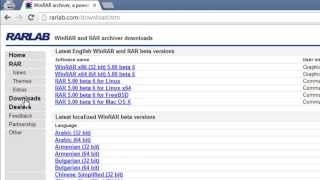
3-Open the WinRar Archive called "KizunaSAVE"
4-Connect your PSP to the PC and go to the folder PSP and then, SAVEDATA (if you dont have these folders, create them, or use MEDIA GO, also avaliable in PSSSONLINE:)
5-Delete any folder called "ULES01516DATA 1" in your SAVEDATA folder, then drag the folder with the same name from the WinRar archive.
6- Disable usb mode and go play.
7-Have fun!
Теги:
Naruto Shippuden Kizuna Drive EUR Sakura The Dagger Of Kamui (Film) Mode Ninja Naruto Shippuuden Live Only Anime Silence video game
Похожие видео
![How To activate Winrar with ' key file' without crack or program [All Version]](/images/mq/f/08/91kAIMSIbqH1m3.jpg)

Мой аккаунт