

Friday, 10 July, 2026г.
















Где искать: по сайтам Запорожской области, статьи, видео ролики
пример: покупка автомобиля в Запорожье
Kodi – Stream Live TV Channels with Vendetta Add-On
 У вашего броузера проблема в совместимости с HTML5
This is a Super Simple Tech to watch live streamed channels using the Vendetta addon. Vendetta has a huge collection of TV channels from USA, UK, Europe, Arabic countries and India. The channels are also grouped by Sports, News, Music so they’re easy to find.
Setup Source
1. Select System from the home screen – The gear icon
2. Choose file manager
3. Select Add Source and type, http://originent.net16.net/originrepo
4. Name the source Origin so it’s easy to find
Install the Zip
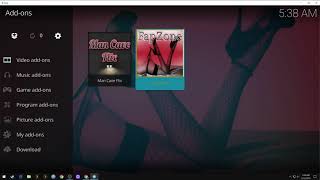
1. From the home screen, select Add-Ons
2. Select Enter Add-On Browser sub-menu
3. Select Install from zip file
4. Select your new source, Origin
5. Select repository.origin.X.X.X.zip
6. Zip file will download and install
Install Add-on From Repository
1. Choose Install from Repository
2. Choose Origin repo
3. Choose Video add-ons
4. Select Vendetta Addon
5. Select Install
If you liked this video or want to see others like it, click the red Subscribe button below.
*** Check out my other videos here ***
https://www.youtube.com/channel/UCUqOp7sFqhPf-AYB6-wxS0g/videos?sort=dd&view=0
Let me know if you have any questions at [email protected]
Похожие видео



Мой аккаунт