

Friday, 10 July, 2026г.
















Где искать: по сайтам Запорожской области, статьи, видео ролики
пример: покупка автомобиля в Запорожье
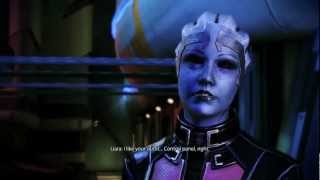
Liara - I'm One Quarter Krogan v.2
 У вашего броузера проблема в совместимости с HTML5
original upload:http://youtu.be/Uu9zJxH2ipU
Compared to the original, I've added more scenes and removed some. I used the ME3 flycam (http://forum.bioware.com/topic/287903-guide-take-screenshots-and-videos-with-free-camera-movement/) so I can record Aethyta and Liara at different angles. Ghosting effect is gone, smh...and Redhead femshep is consistent through all 3 games.
Enjoy and Thanks for Watching! :)
Mods:
ME1:
-http://www.moddb.com/mods/mass-effect-1-new-texture-updatesimprovements-mod
ME2:
- High Resolution Textures For Characters by JeanLuc761 (http://social.bioware.com/forum/1/topic/128/index/5314761/1)
- HR Armor Femshep by Ottemis (http://social.bioware.com/project/8592/)
- Natural Eyelashes by ELE08 (http://social.bioware.com/project/8259/)
- Illusive Man Eyes (http://social.bioware.com/forums/forum/Mass-Effect/Mass-Effect-2-Official-Campaign-Quests-and-Storylines-Spoilers-Warning/Geting-the-Illusive-Man-eyes--7511795-1.html)
- HD eyes by ELE08 (http://social.bioware.com/project/8266/#details)
- Mass Effect 2 New Texture Updates/Improvements by CDAMJC (http://social.bioware.com/project/7907/#files)
ME3:
-Face Code: (Character Texture Overhaul & Vanilla Hair Tweaks by ELE08 needed)
643.WBG.G14.V89.JEM.63W.3T5.474.FQ6.23H.6FB.114
- Liara T'Soni skin v.1.0 by ThinkBlueN7
(http://social.bioware.com/forum/1/topic/368/index/9735492/225)
- Liara Default Outifit by Ottemis
http://www.nexusmods.com/masseffect3/mods/121/?
By ELE08:
- ME3 Hair textures
- Vanilla Hair Tweaks http://www.nexusmods.com/masseffect3/mods/236/?
- ME3 Chartacter Texture Overhaul (http://www.nexusmods.com/masseffect3/mods/116/?)
- Natural Eyelases (http://social.bioware.com/project/8259/)
By Smarteck:
(http://social.bioware.com/forum1/forum/Mass-Effect-3/Fan-Creations/-ME3-MOD-High-Resolution-textures--v15-illumination-MOD--3D-Fix-9735492-1.html)
- Citadel DLC HD Pack lightning/outfits
- Grunt Default Armor from ME2 re-coded for ME3
- Kodiak Interior/Exterior HR
- Normandy (interior) Multi-level Materials HR v1.5
- Wrex/Wreav Default v1.2
By Girlplaysgame:
- Aria Alliance Armor http://mods.girlplaysgame.com/?p=87
(used photoshop to make it red)
Gibbed Save Editor ME3:
http://svn.gib.me/builds/masseffect3/
Here's what I do every time I want to apply Illusive man eyes/change the color of the eyes.
Applying the eyes:
1 - Open Gibbed Save Editor for ME3
2 - Open a save file from your game
3 - Go to the player tab
4 - Go to appearance tab
5 - Select presets(sunglasses icon) and open from file
6 - Click on the Eye folder and select and open the file "The Illusive Man (A).me3appearance
Now the Illusive man's eyes are applied
To change the color:
1 - In Gibbed Save Editor go to the Raw tab
2 - Scroll down to 3.Squad
3 - Click the arrow next to "player"
4 - A list of your Shepard's attributes should appear go down the list and select appearance
5 - Make sure "Head Morph" is true or else you can't get the eyes
6 - Select Head Morph and click on Vector Parameters. (Vector Parameters is where you'll change the color)
7 - To the right of Vector Parameters is and icon with three dots ... in a gray square, click on it.
8 - a small window should appear "VectorParameter Collection Editor"
9 - under the "Members:" list scroll down to "21 EYE_Iris_Colour_Vector"
10 - to the right under "Misc" is "value" Click on value and A, B, G, R appear.
11 - leave A at 1 and change the values of B(blue), G(green), and R(red) to 0. I believe this makes the eye more vibrant, colorful.
12 - look back the the Members: list and select "22 Emis_Color"
13 - Click on the arrows for Misc and value(just like step 10) A, B, G, R should appear.
14 - Leave A at 10 and choose and number you want for values B, G, and R. If all (B,G,&R) values are the same number the eyes will be white, if all are set to 0 then I think they'll be black. If i want purely green eyes I set B & R to 0, and G to 10.
15 - When you're done setting the values click OK and save(Save to file). I advise you to create a new save file, don't overwrite. So that if you don't like the outcome you can go back and change the values again to a different color.
Hope this helps
Thanks for watching!
Теги:
Let's Play Mass Effect Playthrough ME3 Walkthrough gameplay Bioware Commander Shepard Veteran Hardcore 720p compilation Ashley Williams Garrus Vakarian Liara T'Soni Tali'Zorah nar Rayya Urdnot Wrex David Anderson Jeff Joker Moreau Citadel Udina Saren Arterius Illusive Man Miranda Jacob party Thane Samara Jack EDI Grunt Kasumi Zaeed Normandy Mordin Solus Legion Reapers Geth Aria T'loak RedStarBolt RSB Mass Effect 3 (Video Game) Alliance From Ashes tribute Omega DLC
Похожие видео
![[Mass Effect 2] - Dossier: Archangel Part 1 of 3](/images/mq/4/0f/3RDjSokc5qfXKb.jpg)
Мой аккаунт