

Friday, 12 June, 2026г.
















Где искать: по сайтам Запорожской области, статьи, видео ролики
пример: покупка автомобиля в Запорожье
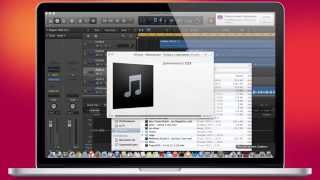
Logic Pro X 10.4.5 DeEsser 2 (Quick Test)
 У вашего броузера проблема в совместимости с HTML5
PLEASE SUBSCRIBE!
Logic Pro X 10.4.5
New Features/Enhancements
Optimizes performance for Mac Pro including support for up to 56 cores
New project setting “Only load plug-ins needed for project playback” reduces load times for large templates.
Increased Number of Tracks and Channels, up to:
1000 stereo audio channel strips
1000 software instrument channel strips
1000 auxiliary channel strips
1000 external MIDI tracks
12 sends per channel strip
All-new DeEsser 2 plug-in provides more options to reduce sibilance on audio tracks.
The Expander plug-in now offers a redesigned retina interface.
Send MIDI clock, MTC, and MMC from Logic to up to 16 ports, each with unique settings like timing offset and plug-in delay compensation.
User defaults can now be set up for the Mixer configuration.
The Loop Browser can filter by loop type and allows drag-and-drop of multiple loops into your project simultaneously.
The Recording section of Project Settings offers a new option “Auto-erase Duplicates”, which removes duplicate MIDI notes at same playback position when merge recording MIDI in cycle mode.
Pressing Option + Shift while rubber-band selecting in the Piano Roll now creates a new time Handles selection.
Option-clicking the On/Off button for a track now loads/unloads the plug-ins on the channel strip.
Freezing a track now unloads its plug-ins to free up resources.
The stand-alone System Performance window is now resizable.
There is now a preference to display an overlay showing position when scrolling horizontally along the timeline and track number when scrolling vertically in the track list.
Shift-double-clicking the background of the Tracks area now starts playback from the clicked position.
Use the new Pressed filter button in the Key Commands window to see if a key combination already has a command assigned to it.
#logicprox #homestudio #plugins
Теги:
logic pro x logic pro x 10.4.5 10.4.5 logic logic pro deesser 2 deesser logic pro x deesser logic pro x deesser 2 logic pro x 10.4.5 deesser 2
Похожие видео
![LOGIC IS BlRACIAL [COMPILATION]](/images/mq/5/34/93htDh7Mc2kMXd.jpg)
![Как работать со Smart Controls в Logic Pro X [Logic Pro Help]](/images/mq/0/36/3mI_xLY46SHt64.jpg)
![Режем известные песни на сэмплы [Logic Pro Help]](/images/mq/d/64/a-ugitHcauQnD2.jpg)
Мой аккаунт