

Saturday, 15 August, 2026г.
















Где искать: по сайтам Запорожской области, статьи, видео ролики
пример: покупка автомобиля в Запорожье
Motorcycle Repair: How to Replace a Battery on a Harley Davidson Motorcycle
 У вашего броузера проблема в совместимости с HTML5
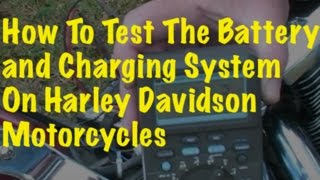
Visit http://www.thesmallengineshop.net **Always follow the instructions in your repair manual when doing repair or maintenance work on a motorcycle. Manuals can be found at the dealer and online.** In this video I replace the battery on a 2009 Harley Davidson Motorcycle. Most motorcycle batteries are located under the seat, so the first step to replace the battery is to remove the seat. Once the seat is removed you have access to the battery. Before you install the new battery, make sure the battery cables are clean and free of battery corrosion. A mixture of water and baking soda along with a wire brush works good to remove battery acid from the cables. Once the cables are clean, make sure the battery cables are not damaged from the corrosion. Corrosion has a tenancy to damage the metal on the cables, and it is important for the cables to make good contact with the terminals on the new battery. The correct way to remove the cables from the old battery is to remove the negative cable first, and than the positive cable. When you reinstall the cables on the new battery, the order is reversed. The reason for this is if the positive cable is removed first there is a chance the tool your using to remove the positive cable can touch the frame while the tool is touching the positive terminal and this will short out the battery. This happens because the negative cable is attached to the frame, so you tool is creating a circuit from the positive cable, through the tool, to the frame, and to the negative cable and negative terminal on the battery. If you remove the negative terminal first, than you eliminate the risk of this happening.
Похожие видео

Мой аккаунт