

Wednesday, 05 August, 2026г.
















Где искать: по сайтам Запорожской области, статьи, видео ролики
пример: покупка автомобиля в Запорожье
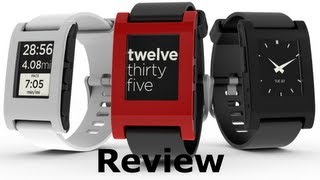
Pebble Classic Smartwatch Review - Not the smartest watch around
 У вашего броузера проблема в совместимости с HTML5
A good baseline for all the other smartwatch review's we're going to be doing in the next while!
Read the review: http://mreh.ca/1zSZd9m
Check out our website: http://www.mobilereviews-eh.ca
The Pebble Smart Watch is a very simple smart watch. The stock functionality of the Pebble is quite limited but its biggest strength lies in the 3rd party apps for the watch. In the long run, this $100 dollar is a great addition to your smartphone and other wearable devices.
Based on our time with the Pebble, we gave it a score of 3.2 Eh’s out of 5. In our opinion, the Pebble Watch doesn’t fare as well as some of the newer smart watches but again, this isn’t new tech.
In terms of design, the Pebble Smart Watch didn’t show any issues in terms of excessive wear/tear. The watch isn’t terrible comfortable to wear as we found the band to be quite noticeable when working on a laptop and the strap holder had a tendency to move resulting in your watch growing a pseudo tail every couple of hours..
I’m not terribly thrilled about the look of the Pebble Smart Watch but that’s really my opinion. To me, it literally looks like somebody glued a screen to my wrist. There are a couple of color options which adds a bit of character to the watch but again, to me, it looks like they forgot to hire a designer and let the engineers run with what they thought looked good.
In terms of durability, the Pebble Smart watch has a 7 day battery which is nice, especially when compared to some of the newer smart watches. Charging the watch is done through a unique cable that attaches magnetically. It’s quite easy to detach the cable so you need to be careful when charging the unit.
In terms of protection, the front of the Pebble isn’t terribly scratch resistant. Coins and keys will do a number on the screen but if your watch doesn’t spend a lot of time in your pocket, its something that you shouldn’t worry about. In terms of water, the Pebble smart watch is water resistant up to 50m.
In terms of Functionality, this is where the Pebble shines especially with its integration with 3rd Party Apps. In my opinion, the Pebble is a great 2nd screen for your smartphone as it allows you to quickly consume tiny bits of important information without having to actually use your device.
There are a plethora of apps for you to install on your Pebble and this is one of the biggest strengths of this smart watch is the eco-system that Pebble has been able to build. There are so many apps out there ranging from egg timers to fitness apps which are the ones I gravitate towards.
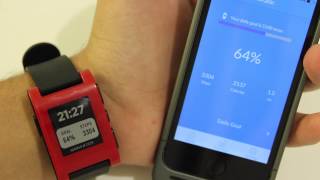
A good example that elaborates on the second screen comment is the Jawbone app which allows you to quickly check out your fitness stats from your Jawbone Up. Instead of pulling out your smartphone and launching your app, you can easily see that being a reviewer results in a small amount of steps taking.
You’re not going to be consuming a lot of information through the Pebble and anything larger than a small text is going to be annoying to read but I was actually surprised how much less I had to check my iPhone after using the Pebble.
In terms of syncing your Pebble, the most common method is via your smartphone. There isn’t a desktop application or a web-application but this shouldn’t be an issue for most people.
The Pebble isn’t touch enabled and navigation is handled through the buttons on the side of the watch. The watch face is pretty clear to read in sunlight and is backlight which can be activated by shaking your hand slightly.
In terms of the display, you can easily customize what you see with 3rd party apps. For some odd reason, I like to know what the temperature is outside so all I had to do was to download an app that showed both. The notifications generally work well and depending on which apps you have, you can setup your notifications to work with other apps.
In terms of sensors, there is an accelerometer that provides distance and bearing for apps but there isn’t GPS which may be a bummer for runners who want to see where they’ve gone. With that being said, there are many apps that utilize the GPS on your device and uses the Pebble as a 2nd screen for directions/maps.
There are no heart-rate sensors on the Pebble so you’re not going to get an overly encompassing fitness outlook unlike some of the newer smart watches out there.
-----------------------------------------------------------------------------------------
Subscribe to stay in the loop! We release 2-3 videos a week so there's going to be something new every week. We're all about helping you get the most out of iOS so click Subscribe!
WEBSITE: http://www.mobilereviews-eh.ca
TUMBLR: http://mobilereviewseh.tumblr.com
INSTAGRAM: http://instagram.com/mobilereviewseh
TWITTER: https://twitter.com/MobileReviewsEh
AARON: https://twitter.com/Aaron_The_Ho
FACEBOOK: https://www.facebook.com/MobileReviewsEh
GOOGLE +: http://bit.ly/GplusMobileReviewsEh
Теги:
iPhone Pebble Smartwatch Pebble classic Pebble review Pebble smartwatch review smart watch watch phone smartwatch iphone smartwatch smartwatch reviews pebble smart watch review mobilereviews-eh mobilereviewseh www.mobilereviews-eh.ca
Похожие видео
Мой аккаунт