

Thursday, 04 June, 2026г.
















Где искать: по сайтам Запорожской области, статьи, видео ролики
пример: покупка автомобиля в Запорожье
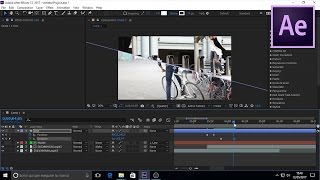
Predator Decloaking [After Effects Tutorial]
![Predator Decloaking [After Effects Tutorial]](https://pic.portall.zp.ua/mq/f/e0/3Lx6E5SU5Nd2p6.jpg) У вашего броузера проблема в совместимости с HTML5
У вашего броузера проблема в совместимости с HTML5
In this tutorial, Rays shows how to decloak from (or cloak to) Predator invisibility using Adobe After Effects Creative Suite 5 (CS5). Topics covered include: match lighting, color correction (using Levels and Hue/Saturation), simple fade (keyframing Opacity), complex fade in random globby chunks (using Fractal Noise, CC Vector Blur and Set Matte), and finally the infamous lightning bolts (using Advanced Lightning and Set Matte).
Part 1: Cloaked Predator or Invisibility [After Effects Tutorial]
http://www.youtube.com/watch?v=0cu4dRZkqO0
Part 3: Advanced Color Grading: Predator Thermal Vision [After Effects Tutorial]
http://www.youtube.com/watch?v=dO_kdZxgP2o
It's Predator Time [Improv Skit]
http://www.youtube.com/watch?v=nTXo4_7Kc8Y
Since this clip is actually showing the actor, which was filmed separately from the background, it's important to match lighting as best as possible to sell the effect of the actor actually being there. In order to do this, we kept the tripod at the same angle and ran over to an area without all the trees in the background, had Luke face the same direction as the shot, then Rotobrushed out the background. If you have a portable green screen, you could setup your camera on a tripod, put up your green screen, film your actor doing the scene, and then remove the green screen to get your background shot.
I found that our transition needed about 3 different sets: one coming down from the head, one down from the shoulders, and one up from the waist. I also made them start and end at different times and go different speeds, to give a more natural feel.
Our shoulder bolt was a Strike that started from the shoulder and neck area and went down to the elbows (or the bottom of the ribs. The waist bolt was a Breaking bolt that went from the bottom of the frame up to the mid-waist and rib line.
Bodies aren't straight lines, so you may want to add some extra keyframes in by clicking to the area that needs it and adjusting the value(s).
This was filmed using a Samsung HMX-H200 Handycam camcorder, screen captures were done using CamStudio, audio using Audio Technica M4000S in Audacity, put together in Adobe Premiere Pro CS5 (for the tutorial) and Adobe After Effects CS5 (for the Predator invisibility and decloaking effect)
8-bit Digital TV on Facebook: https://www.facebook.com/pages/8-bit-Digital-TV/132677656828692
8-bit Digital TV on Twitter: https://twitter.com/#!/8bitdigitaltv
Теги:
8bitdigitaltv 8-bit digital adobe after effects tutorial predator decloaking invisibility animate keyframe advanced lightning match lighting color correction levels crush blacks gamma matte luminance fractal noise transition fade vector blur plugin cs5 creative suite howto precomp pre-comp precompose pre-compose layers arnold schwarzenegger stick around arnie vfx rotobrush rotoscope greenscreen green screen intermediate samsung hmx h200 handycam camcorder camstudio capture lightening
Похожие видео


Мой аккаунт