

Thursday, 04 June, 2026г.
















Где искать: по сайтам Запорожской области, статьи, видео ролики
пример: покупка автомобиля в Запорожье
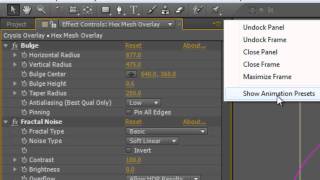
Quick Tip: Browse Effects & Presets in Adobe After Effects
 У вашего броузера проблема в совместимости с HTML5
Quick Tip: Browse Effects & Presets in Adobe After Effects
Tools Used:
Adobe After Effects CC
Adobe Bridge CC
After Effects is awesome and fun!
There are so many special effects and cool things to do in the Effects & Presets panel, but the only way to see what they do is to drag them on one by one.
Unless you use this tip
In the Upper Right of the Effects & Presets panel, click on the hamburger menu (3 horizontal lines)
Select Browse Presets
Adobe Bridge will open up
Open each folder and look at what they all do in the ‘TINY’ preview window in Adobe Bridge (Bridge has many quirks)
Make note or get inspiration from them for future projects.
Need help or have questions about After Effects? I’m fairly new, but I would love to make you a custom tutorial. Just let me know.
************************
➜All Gear I Use: https://kit.co/mikemurphyco
➜Podcast Gear: http://www.mikemurphy.co/podgear
➜ Get Adobe Creative Cloud:http://mikemurphy.co/adobe
➜Tutorial Software:
Screenflow: http://mikemurphy.co/screenflow
Camtasia: http://mikemurphy.co/camtasia
---------------------------------------------------------------SUBSCRIBE TO MY YOUTUBE CHANNEL:
- http://mikemurphy.co/youtube
VISIT MY WEBSITE:
- http://mikemurphy.co
SUBSCRIBE TO PODCAST
-http://mikemurphy.co/itunes
SOCIAL MEDIA:
- Instagram: http://instagram.com/mikeunplugged
- Facebook: http://mikemurphy.co/facebook
- Twitter: http://twitter.com/mikeunplugged
---Affiliate Links: ---
In order to support my work, I participate in affiliate programs for some of the tools I use and recommend. This simply means I get a commission from the company with no additional cost to you for recommending their products. I will not recommend anything I do not believe in 100%.
Похожие видео

Мой аккаунт