

Friday, 26 June, 2026г.
















Где искать: по сайтам Запорожской области, статьи, видео ролики
пример: покупка автомобиля в Запорожье
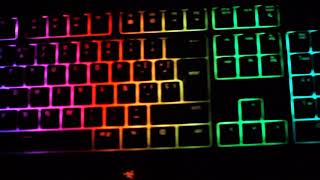
Razer Blackwidow Chroma New Custom Effects
 У вашего броузера проблема в совместимости с HTML5
Yaptigim profillerden bazilarini paylasmak istedim. Dilerseniz begendiginiz efekti asagidaki linkten indirip kullanabilirsiniz.
Link: https://drive.google.com/folderview?id=0B-erkQEvz4fJTGd1MDRDbWZTalE&usp=sharing
1. Linke tıkla.
2. Seçtiğin efekte tıkla.
3. Açılan pencerenin en üst kısmında download ikonu olacak oradan indir. Böylece .xml uzantılı değil, .razerchroma uzantılı tek bir dosya inecek.
4. Synapse Lighting sekmesinden Chroma Configurator aç.
5. En altta menü ikonu olacak. (Clear Effect'in sol tarafındaki üç çizgi şeklinde olan ikon) Menüyü aç.
6. Import tıkla ve indirdiğin .razerchroma uzantılı dosyayı seç.
7. Configuratoru ilk açtığında hazır gelen efekti sil.
8. Kaydet.
Link: https://drive.google.com/folderview?id=0B-erkQEvz4fJTGd1MDRDbWZTalE&usp=sharing
1. Click the link .
2. Click the effect you have chosen.
3. There will be free download icon at the top of the pop-up window. So file is not a .xml extension, Has to be single .razerchroma extension.
4. Open Synapse and go Lighting tab. Open Chroma configurator.
5. Open menu. ( Three lines in the form of icons on the left side of the "Clean Effect").
6. Click Import and select the downloaded file.
7. Delete first effect.
8. Save.
Not: İngilizcem pek iyi değil çeviride hata varsa lütfen söyleyin düzelteyim :)
Müzik/Music: https://drive.google.com/file/d/0B-erkQEvz4fJR2xHejZXaTRnMzA/view?usp=sharing
Теги:
Razer Inc (Business Operation) Effects blackwidow chroma rgb Led Elektronik Aletler bilgisayar oyunları bilgisayar oyunu digital video lazer oyun video Lights
Похожие видео



Мой аккаунт